Redis Data Structures: When to Use Sets, Sorted Sets, Hashes, and Streams
A practical guide to every Redis data structure. Learn when to use strings, lists, sets, sorted sets, hashes, and streams -- with real commands, memory trade-offs, and a decision framework.
Infrastructure engineer with 10+ years building production systems on AWS, GCP,…
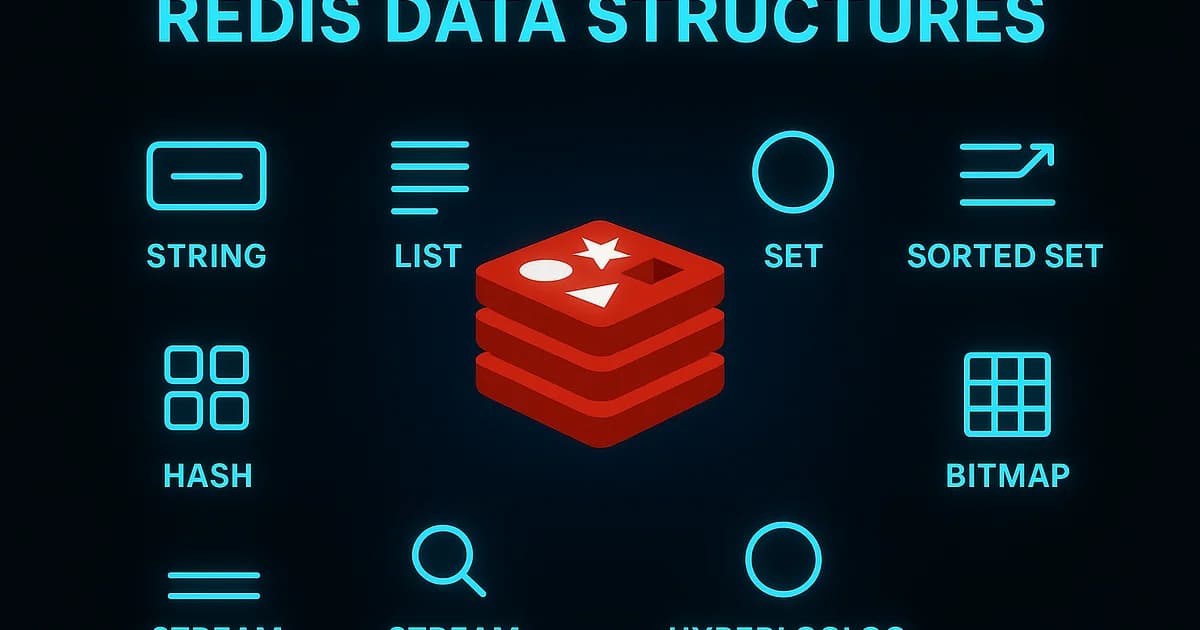
Redis Is Not Just a Cache
Most teams adopt Redis as a caching layer and never look beyond GET and SET. That's like buying a Swiss Army knife and only using the bottle opener. Redis ships with specialized data structures -- sets, sorted sets, hashes, lists, and streams -- each designed to solve specific problems with sub-millisecond latency. Choosing the right structure is the difference between a clean, fast implementation and a hacky workaround that fights the tool.
After running Redis in production for over a decade across leaderboards, rate limiters, real-time feeds, and event pipelines, I've seen every data structure used well and abused badly. This guide covers when each one is the right choice, with real commands and the memory trade-offs nobody talks about.
What Are Redis Data Structures?
Definition: Redis data structures are server-side types (strings, lists, sets, sorted sets, hashes, and streams) that provide atomic operations on in-memory data. Unlike a key-value store that only maps keys to blobs, Redis understands the shape of your data and offers type-specific commands that execute in O(1) or O(log N) time.
Every value in Redis has a type. If you store a sorted set, you can use ZADD, ZRANGE, and ZRANK. Try running a list command against it and Redis returns an error. This type enforcement is a feature -- it means the server optimizes storage and operations per type.
Redis Data Structure Comparison
| Structure | Best For | Time Complexity (Common Ops) | Memory Efficiency | Max Elements |
|---|---|---|---|---|
| String | Caching, counters, flags | O(1) | High (small values) | 512 MB per key |
| List | Queues, recent items, feeds | O(1) push/pop, O(N) index | Medium | 4 billion |
| Set | Membership, dedup, tagging | O(1) add/check/remove | Medium | 4 billion |
| Sorted Set | Leaderboards, rate limiting, scheduling | O(log N) add/rank | Lower (scores stored) | 4 billion |
| Hash | Objects, sessions, profiles | O(1) per field | High (ziplist encoding) | 4 billion fields |
| Stream | Event logs, message queues, CDC | O(1) append, O(N) read | Medium | Limited by memory |
Strings: More Than Key-Value
Strings are Redis's simplest type, but they support atomic counters, bit operations, and expiry -- making them surprisingly versatile.
# Basic caching with TTL
SET user:1234:profile '{"name":"Alice","plan":"pro"}' EX 3600

# Atomic counter (page views, API usage)
INCR api:usage:2025-04-07:user:1234
EXPIRE api:usage:2025-04-07:user:1234 86400

# Conditional set (distributed lock pattern)
SET lock:order:5678 "worker-a" NX EX 30
# Returns OK if lock acquired, nil if already held

# Bit operations (feature flags, daily active users)
SETBIT feature:dark-mode:users 1234 1
BITCOUNT feature:dark-mode:users
Use strings for simple caching (JSON blobs with TTL), atomic counters (rate limiting, metrics), and distributed locks (SET NX EX pattern). Don't store complex objects as serialized strings if you need to read or update individual fields -- use hashes instead.
Lists: Queues and Recent Items
Lists are doubly-linked lists. Push and pop from either end in O(1). They're ideal for queues (FIFO with LPUSH/RPOP) and capped collections (recent activity feeds).
# Job queue: producer pushes, consumer pops
LPUSH queue:emails '{"to":"alice@example.com","template":"welcome"}'
BRPOP queue:emails 30  # Blocking pop with 30s timeout

# Recent activity feed (keep last 100 items)
LPUSH feed:user:1234 '{"action":"commented","post":5678}'
LTRIM feed:user:1234 0 99  # Trim to 100 items

# Get the 10 most recent items
LRANGE feed:user:1234 0 9
Watch out:
LRANGEwith large offsets is O(N) because Redis walks the linked list from the head. If you need random access by index, a list is the wrong structure. Also,BRPOPis fine for simple queues, but for reliable message delivery with acknowledgments, use streams instead.
Sets: Membership and Deduplication
Sets store unique, unordered elements. Membership checks are O(1). They're perfect for tracking unique visitors, tags, and performing intersections or unions across sets.
# Track unique visitors per page per day
SADD page:home:visitors:2025-04-07 "user:1234"
SADD page:home:visitors:2025-04-07 "user:5678"
SCARD page:home:visitors:2025-04-07  # Count: 2

# Tag system
SADD article:42:tags "postgresql" "redis" "databases"
SADD article:99:tags "redis" "caching" "performance"

# Find articles tagged with both redis and postgresql
SINTER article:42:tags article:99:tags  # {"redis"}

# Unique job deduplication
SADD processed:jobs "job:abc123"
SISMEMBER processed:jobs "job:abc123"  # 1 (already processed)
Sets shine when you need fast "is X a member?" checks, or when you need to compute intersections and unions across groups. Don't use sets when you need ordering -- that's what sorted sets are for.
Sorted Sets: Leaderboards and Rate Limiting
Sorted sets are Redis's most powerful structure. Each element has a score, and elements are automatically ordered by score. This gives you O(log N) insertions and O(log N) rank lookups -- perfect for leaderboards, time-based scheduling, and sliding window rate limiting.
# Leaderboard
ZADD leaderboard 1500 "player:alice"
ZADD leaderboard 2200 "player:bob"
ZADD leaderboard 1800 "player:charlie"

ZREVRANGE leaderboard 0 9 WITHSCORES  # Top 10 players
ZREVRANK leaderboard "player:alice"   # Alice's rank (0-indexed)
ZINCRBY leaderboard 100 "player:alice" # Alice scored 100 more points

# Sliding window rate limiter
# Allow 100 requests per 60 seconds per user
ZADD ratelimit:user:1234 1712505600.123 "req:uuid1"
ZREMRANGEBYSCORE ratelimit:user:1234 0 1712505540.000  # Remove entries older than 60s
ZCARD ratelimit:user:1234  # Count requests in window

# Delayed job queue (process jobs at scheduled time)
ZADD delayed:jobs 1712505660 '{"type":"send_email","id":"abc"}'
# Worker polls: ZRANGEBYSCORE delayed:jobs 0  LIMIT 0 10
Pro tip: For leaderboards with millions of entries, sorted sets handle
ZREVRANKin O(log N) -- roughly 20 operations for a million elements. No SQL query withORDER BYandOFFSETcomes close. If your leaderboard outgrows one Redis instance, partition by score range or use Redis Cluster with hash tags.
Hashes: Structured Objects
Hashes map field names to values within a single key. They're the Redis equivalent of a row in a database table or a JSON object. For small hashes (under hash-max-ziplist-entries, default 128 fields), Redis uses a compact ziplist encoding that's extremely memory-efficient.
# Store a user session as a hash
HSET session:abc123 user_id 1234 role "admin" created_at "2025-04-07T10:00:00Z"
HGET session:abc123 user_id        # "1234"
HGETALL session:abc123             # All fields and values
HDEL session:abc123 role           # Remove a field
EXPIRE session:abc123 3600         # TTL on the whole hash

# Atomic field increment (shopping cart quantity)
HINCRBY cart:user:1234 "product:5678" 2
HINCRBY cart:user:1234 "product:9012" 1
HGETALL cart:user:1234
Hashes are the right choice when you need to read or update individual fields without deserializing the entire object. If you're doing GET to fetch a JSON string, parsing it, changing one field, and SETting it back -- switch to a hash.
Streams: Event Logs and Message Queues
Streams, introduced in Redis 5.0, are an append-only log structure with consumer groups. They solve the reliability problem that lists have: with streams, multiple consumers can read the same messages, and unacknowledged messages are tracked for redelivery.
# Produce events
XADD events:orders * action "created" order_id "5678" amount "99.99"
XADD events:orders * action "paid" order_id "5678" payment_method "stripe"

# Create a consumer group
XGROUP CREATE events:orders analytics-group 0

# Consumer reads new messages
XREADGROUP GROUP analytics-group consumer-1 COUNT 10 BLOCK 5000 STREAMS events:orders >

# Acknowledge processed messages
XACK events:orders analytics-group "1712505600000-0"

# Check pending (unacknowledged) messages
XPENDING events:orders analytics-group

# Trim stream to last 10000 entries (cap memory)
XTRIM events:orders MAXLEN ~ 10000
Streams are Redis's answer to Kafka-like event streaming at a smaller scale. They're excellent for microservice event buses, audit logs, and real-time data pipelines where you need guaranteed delivery within a single Redis instance. For multi-datacenter replication or truly massive throughput, you'll still want Kafka or Redpanda.
When Redis Is the Wrong Choice
Redis isn't a universal database. Here's where it falls short:
- Data larger than RAM -- Redis stores everything in memory. If your dataset exceeds available RAM, Redis isn't the answer. Consider PostgreSQL, DynamoDB, or disk-backed alternatives like KeyDB or Dragonfly.
- Complex queries -- Redis has no query language. If you need JOINs, aggregations, or ad-hoc filtering, use a relational database.
- Durable primary storage -- despite RDB snapshots and AOF persistence, Redis is not designed as a primary data store. A crash between persistence intervals loses data. Always have a source of truth elsewhere.
- Large values per key -- storing 50 MB JSON blobs defeats the purpose. Redis is optimized for many small keys, not few large ones.
Redis Hosting: Managed Service Comparison
| Provider | Starting Price/mo | Clustering | Persistence | Max Memory |
|---|---|---|---|---|
| AWS ElastiCache | ~$50 (r6g.large) | Yes (Cluster Mode) | RDB + AOF | Up to 6.1 TB |
| Redis Cloud | $5 (Fixed) | Yes | RDB + AOF | Up to 12 TB |
| Google Memorystore | ~$55 (Standard) | Yes | RDB | Up to 300 GB |
| Azure Cache | ~$40 (Standard) | Yes (Premium) | RDB + AOF | Up to 1.2 TB |
| Upstash | Free tier / pay-per-use | Yes | Durable | Up to 10 GB |
For most startups, Upstash's pay-per-request model or Redis Cloud's fixed plans offer the best value. At scale, ElastiCache gives you the most control over cluster topology and failover behavior.
Choosing the Right Data Structure: A Decision Framework
- Need a simple cache or counter? Use strings.
- Need a FIFO queue? Use lists for simple cases, streams for reliable delivery.
- Need to check membership or compute set operations? Use sets.
- Need ranking, scoring, or time-based ordering? Use sorted sets.
- Need to store and update individual fields of an object? Use hashes.
- Need an event log with consumer groups? Use streams.
- Need complex queries, joins, or more data than fits in RAM? Use PostgreSQL, not Redis.
Frequently Asked Questions
What is the difference between a Redis set and a sorted set?
A set stores unique elements with no ordering. Membership checks and add/remove operations are O(1). A sorted set associates a floating-point score with each element and maintains elements in score order. This enables rank lookups, range queries by score, and leaderboard-style operations -- but at O(log N) instead of O(1) for insertions.
When should I use Redis hashes instead of JSON strings?
Use hashes when you need to read or update individual fields without fetching the entire object. Hashes with fewer than 128 fields use ziplist encoding, which is more memory-efficient than a serialized JSON string. If you always read and write the entire object at once and never need partial updates, a string is simpler.
Are Redis streams a replacement for Kafka?
No. Redis streams work well for single-instance or small-cluster event processing with moderate throughput. Kafka is designed for massive throughput (millions of events per second), multi-datacenter replication, long-term retention, and exactly-once semantics. Use Redis streams for lightweight microservice events. Use Kafka for high-volume data pipelines.
How much memory does Redis use per key?
Overhead varies by data structure. A small string key-value pair uses roughly 50-70 bytes of overhead beyond the actual data. Hashes with fewer than 128 fields use ziplist encoding at about 20-40 bytes overhead. Sorted sets use roughly 80 bytes per element. Use MEMORY USAGE keyname to measure exactly. For millions of small objects, hashes with ziplist encoding are the most memory-efficient option.
Can I use Redis as my primary database?
Technically yes, but you probably shouldn't. Redis persists data via RDB snapshots (periodic) and AOF (write log), but neither guarantees zero data loss on crash. Redis lacks transactions with rollback, a query language, or schema enforcement. Use Redis for caching, sessions, real-time data, and specialized structures. Keep your source of truth in PostgreSQL or another durable database.
What is the maximum size of a Redis sorted set?
A sorted set can hold up to 4,294,967,295 (2^32 - 1) elements. The practical limit is available memory. Each element in a sorted set consumes roughly 80 bytes of overhead plus the element string size. A sorted set with 10 million entries and 50-byte elements uses roughly 1.2 GB of RAM. Plan capacity accordingly.
How do I handle Redis key expiration for rate limiting?
For sliding window rate limiting, use sorted sets with timestamps as scores. Add each request with its timestamp, remove entries outside the window with ZREMRANGEBYSCORE, and count remaining entries with ZCARD. Alternatively, use a simple string counter with INCR and a fixed TTL for per-minute or per-hour windows. The sorted set approach is more accurate but uses more memory.
Written by
Abhishek Patel
Infrastructure engineer with 10+ years building production systems on AWS, GCP, and bare metal. Writes practical guides on cloud architecture, containers, networking, and Linux for developers who want to understand how things actually work under the hood.
Related Articles
SQLite at the Edge: When libSQL Beats Postgres
SQLite at the edge via libSQL embedded replicas and Cloudflare D1 delivers 2-5ms reads worldwide versus 20-100ms for Postgres read replicas. Real benchmarks, pricing comparisons, production failure modes, and a decision framework for when edge SQLite wins and when Postgres-with-replicas is still the right call.
15 min read
DatabasesSnowflake vs BigQuery vs Databricks vs Redshift (2026): Which Data Warehouse?
Snowflake wins on concurrency, BigQuery on serverless simplicity, Databricks on ML, Redshift on AWS depth. Real 2026 pricing, TPC-DS benchmarks, and a clear decision matrix.
16 min read
DatabasesPostgres as a Queue: When You Don't Need Kafka or RabbitMQ
Build a production-grade task queue entirely in PostgreSQL using SELECT FOR UPDATE SKIP LOCKED, LISTEN/NOTIFY, exponential backoff retries, and dead-letter handling. Covers PGMQ, Graphile Worker, River, and when a dedicated broker actually earns its keep.
14 min read
Enjoyed this article?
Get more like this in your inbox. No spam, unsubscribe anytime.