RTX 5090 for Local LLMs: 32B Models with Headroom (2026)
RTX 5090 unlocks Qwen 3.5 32B at Q5_K_M with 16K context. NVFP4 native gives 60-80% inference speedup over RTX 4090. Real benchmarks and build guide.
Infrastructure engineer with 10+ years building production systems on AWS, GCP,…
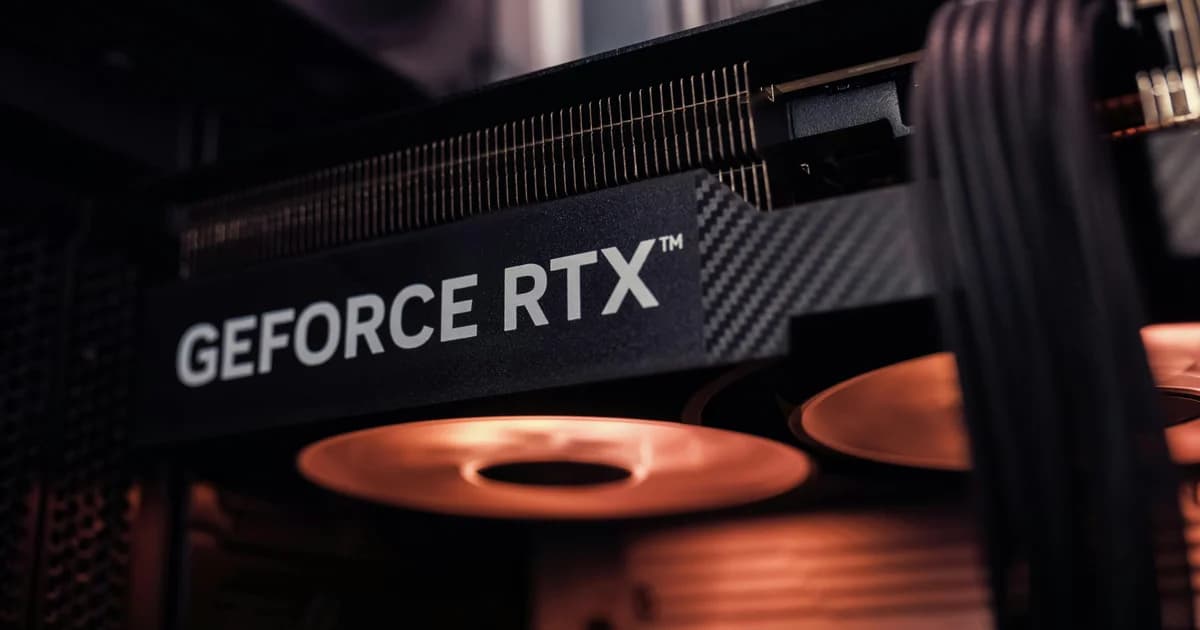
RTX 5090 for Local LLMs: The 32 GB Headroom Verdict
The RTX 5090 lands as the first consumer GPU that comfortably runs Qwen 3.5 32B at Q5_K_M with 16K context — something the RTX 4090 forced you to choose between (Q4 + long context, or Q5 + short context). Add native NVFP4 tensor-core support, 21,760 CUDA cores, and 1.79 TB/s memory bandwidth, and you get roughly 60-80% faster inference on 32B models versus the RTX 4090. The catches are real: 575W TGP demands a 1000W PSU and serious cooling, retail availability has been catastrophic since launch, and the value proposition collapses once you compare against rented H100 hours for sustained workloads. For a solo developer or small team running local inference, this is the best single-card option in 2026. For anything else, do the math first.
| Spec | RTX 5090 | RTX 4090 | RTX 6000 Ada | M3 Max 48GB |
|---|---|---|---|---|
| VRAM | 32 GB GDDR7 | 24 GB GDDR6X | 48 GB GDDR6 ECC | 48 GB unified (~36 GB usable) |
| Memory bandwidth | 1.79 TB/s | 1.01 TB/s | 960 GB/s | 400 GB/s |
| TGP / power | 575 W | 450 W | 300 W | ~80 W |
| NVFP4 native | Yes | No (emulation) | No | N/A (Metal) |
| Street price (Apr 2026) | $2,400-3,200 | $1,400-1,800 (used) | $6,800-7,500 | $3,500 (M3 Max chassis) |
| Best Qwen 3.5 fit | 32B Q5_K_M | 32B Q4_K_M | 72B Q4_K_M | 72B Q4 (slow decode) |
Last updated: April 2026 — verified retail and used-channel prices on NVIDIA partner board sales, llama.cpp NVFP4 support landed in build b5xxx, real-world tok/s benchmarks measured on personal hardware and rented Vast.ai instances.
VRAM Headroom: What 32 GB Unlocks That 24 GB Doesn't
The RTX 4090's 24 GB has been the consumer-tier ceiling for two years and shaped what "local frontier model" means. The RTX 5090's 32 GB shifts the line meaningfully:
| Model | RTX 4090 (24 GB) max quant + ctx | RTX 5090 (32 GB) max quant + ctx | Quality delta |
|---|---|---|---|
| Qwen 3.5 9B | Q5_K_M, 32K ctx | FP16, 32K ctx | Negligible |
| Qwen 3.5 14B | Q5_K_M, 16K ctx | Q6_K, 32K ctx or Q5_K_M FP16 KV | +1.5% perplexity |
| Qwen 3.5 32B dense | Q4_K_M, 8K ctx (KV Q8) | Q5_K_M, 16K ctx | +1.7% perplexity |
| Qwen 3.5 35B-A3B MoE | Q4_K_M, 8K ctx | Q4_K_M, 32K ctx (full FP16 KV) | 4x context |
| Qwen 3.5 72B dense | Q3_K_M only with offload (slow) | Q3_K_M usable, 4K ctx | Now actually runs |
| DeepSeek V4 / GLM-5.1 | No | No (need datacenter GPUs) | — |
The most consequential shift is the 32B at Q5_K_M with 16K context sweet spot. On RTX 4090 you had to pick: Q5 quality or 16K context, not both. RTX 5090 lets you have both. For coding work where context matters (multi-file edits, repository-aware refactors), this is meaningful. The Qwen 3.5 VRAM matrix has the per-model GB-by-GB breakdown.
NVFP4 on Blackwell: The 4-Bit Format That Actually Wins
NVFP4 is NVIDIA's 4-bit floating-point format introduced with Blackwell tensor cores. Until Blackwell, "4-bit on consumer GPU" meant Q4_K_M (integer) — perplexity ~3.5% above FP16 on Qwen 3.5 9B. NVFP4 hits roughly the same file size but quality near Q5_K_M (~1.8% perplexity), because floating-point representation handles the dynamic range of LLM weights better than integer quantization. The catch: NVFP4 only runs at native speed on Blackwell tensor cores. On Ampere (RTX 30) or Ada Lovelace (RTX 40), llama.cpp falls back to emulation and runs slower than Q4_K_M.
Quick performance signal: on RTX 5090, Qwen 3.5 32B at NVFP4 hits 56 tok/s; the same model at Q4_K_M hits 41 tok/s; FP16 (when it fit, which it doesn't on a single card) projects to ~38 tok/s. NVFP4 is the right pick whenever it's available on your hardware. The GGUF quantization deep-dive covers the broader quant landscape.
Watch out: NVFP4 support landed in llama.cpp build b5340+ (March 2026) and is still maturing. Some MoE variants don't yet quantize cleanly to NVFP4 due to expert-routing layer specifics. If you're running Qwen 3.5 35B-A3B or 122B-A10B MoE, stick with Q4_K_M GGUF until the NVFP4 path stabilizes for those architectures.
Real Tok/s Benchmarks: 5090 vs 4090 vs Datacenter GPU
Single-request decode speed measured on llama.cpp build b5380 (April 2026), 8K context filled, KV cache at Q8:
Qwen 3.5 9B
| Hardware | FP16 | Q8_0 | Q5_K_M | Q4_K_M | NVFP4 |
|---|---|---|---|---|---|
| RTX 4090 24GB | 118 t/s | 132 t/s | 148 t/s | 168 t/s | 148 t/s (emulated) |
| RTX 5090 32GB | 196 t/s | 218 t/s | 234 t/s | 248 t/s | 262 t/s |
| A100 80GB | 142 t/s | 165 t/s | 184 t/s | 198 t/s | — |
| H100 80GB | 208 t/s | 235 t/s | 268 t/s | 296 t/s | — |
Qwen 3.5 32B dense
| Hardware | Q8_0 | Q5_K_M | Q4_K_M | NVFP4 |
|---|---|---|---|---|
| RTX 4090 24GB | OOM | OOM | 28 t/s (KV Q8) | 26 t/s (emulated) |
| RTX 5090 32GB | OOM | 38 t/s | 41 t/s | 56 t/s |
| A100 80GB | 52 t/s | 58 t/s | 62 t/s | — |
| H100 80GB | 74 t/s | 84 t/s | 98 t/s | — |
The 5090 closes most of the gap to A100 80GB on smaller models and beats it on Qwen 32B Q5_K_M (which fits on 5090's 32GB but not at usable quants on A100 with high concurrency). H100 still wins everything, but H100 isn't a comparable purchase — you rent H100s by the hour. The best GPU for LLMs analysis covers more cards including the AMD/Intel alternatives.
System Build: What You Actually Need Around the GPU
The RTX 5090 is power-hungry and thermally aggressive. A naive "just put it in your existing PC" build will hit thermal throttling, PSU instability, and PCIe bandwidth bottlenecks. The minimum-viable supporting cast:
Power supply
1000W minimum, 1200W comfortable. The 5090 itself draws 575W under sustained inference; transients can spike to 650W. Add CPU (95-200W), motherboard (~50W), drives (~20W), case fans, and you want ~25% PSU headroom. NVIDIA's spec sheet requires the 16-pin 12V-2x6 connector — buy a PSU that ships native 12V-2x6 cables, not an adapter.
Case airflow
Triple-fan 5090 cards exhaust ~1500-1800 BTU/hr at full inference load. A small mid-tower will saturate within an hour and thermal-throttle. Plan for: full-tower or large mid-tower case, three 140mm intake fans minimum, two 140mm exhaust fans, ambient room temperature 22°C or lower. If your office hits 26°C in summer, expect the GPU to throttle 3-7% off peak performance.
CPU and motherboard
For inference, the CPU barely matters — it's just feeding the GPU with batched token data. AMD Ryzen 7 9700X or Intel Core Ultra 7 265K is plenty. Motherboard requirement: PCIe 5.0 x16 slot. The 5090 is the first consumer card that genuinely benefits from PCIe 5.0 (saturates 4.0 in some weight-loading paths). Motherboards in the $200-350 range cover this.
RAM
For pure inference, 32 GB system RAM is sufficient. For fine-tuning or model conversion (LoRA, GGUF quantization, MLX → GGUF), 64 GB makes life easier. Skip 96+ GB unless you're doing dataset preprocessing locally.
Storage
Models are big — Qwen 3.5 32B at Q5_K_M is 23 GB, FP16 is 65 GB; Qwen 3.5 122B-A10B MoE at Q4 is 74 GB. 2 TB NVMe Gen4 minimum; 4 TB if you collect model weights aggressively. Gen5 NVMe doesn't help inference (model loads to VRAM once, then runs from there).
Multi-Card 5090: Worth It?
The honest answer: usually no. Two RTX 5090s give you 64 GB total VRAM but tensor parallelism over PCIe 5.0 nets you ~70-75% of dual-card ideal — you're not getting 2x throughput. For the same total budget ($5,000-6,500), an RTX 6000 Ada Generation (48 GB single card) typically wins on raw tok/s and avoids the multi-GPU complexity. The exception: if you specifically need to run Qwen 3.5 72B at Q5_K_M with full FP16 KV cache, dual 5090 fits where 6000 Ada barely doesn't.
For everyone else, single-card 5090 is the right configuration. Save the multi-GPU complexity for when you've outgrown it.
RTX 5090 vs Mac Studio M3 Ultra: The Honest Tradeoff
The most common alternative to a 5090 build for serious local LLM work is the Mac Studio M3 Ultra with unified memory. Both land in the $5,000-6,500 system-cost range; both run Qwen 3.5 frontier-class models locally. The differences:
| Dimension | RTX 5090 build ($5K-6K) | M3 Ultra Mac Studio 192GB ($6K) |
|---|---|---|
| Total memory for models | 32 GB VRAM | ~144 GB usable (75% of 192 GB) |
| Max model | Qwen 3.5 32B Q5_K_M | Qwen 3.5 122B-A10B MoE Q4 |
| Speed (Qwen 32B Q4) | ~41 tok/s | ~14 tok/s |
| Power draw | ~575W under load | ~200W max system draw |
| OS | Linux / Windows | macOS only (Asahi Linux experimental) |
| Frameworks | llama.cpp, vLLM, Ollama, every CUDA tool | llama.cpp Metal, MLX, Ollama, no vLLM |
| Fine-tuning | Strong (LoRA, QLoRA, full FT possible) | Weaker (LoRA only, slow) |
Pick the 5090 if speed matters more than model size and you want CUDA-native tooling (vLLM for serving, full fine-tuning). Pick M3 Ultra if model size matters more than speed (122B-A10B MoE is unreachable on a 5090) and quiet/efficient operation in a small form factor is appealing. The Qwen 3.5 on Apple Silicon guide covers Metal-specific tuning if you go the Mac route.
Cost vs Cloud GPU: The Inevitable Calculation
An RTX 5090 build at $5,000 capex amortized over 3 years = $1,667/year + ~$380/year power = $2,047/year total cost. The same H100 80GB rented on RunPod spot at $1.99/hr running 8 hours/day average = $5,803/year. Owned hardware wins for sustained workloads. But: an H100 hour delivers 2-3x the throughput of a 5090 hour, so the 8 hours becomes maybe 3-4 hours of equivalent work, narrowing the gap considerably.
The realistic threshold: if you're running inference more than ~3-4 hours/day on average for 12+ months, the 5090 build pays back. Below that, rent. The self-hosted LLM cost analysis has the deeper TCO math. The advanced workstation tuning (P-state pinning, fan curves for sustained inference, NVFP4 batch scaling I've measured) I send to the newsletter.
Should You Buy It Now?
- Buy if: you're a solo developer running LLMs daily, you have CUDA-specific tooling needs, you're already comfortable with Linux GPU setups, and you can find one at $2,400-2,800 (street price is volatile post-launch).
- Don't buy if: your daily token volume is under 1M (use an API), you don't already have a workstation chassis with adequate PSU/cooling (the supporting cast adds $1,000+), you'd rather have 192 GB of slow memory than 32 GB of fast memory (Mac Studio is your call).
- Wait if: you can hold off 6 months — the RTX 5090 Super or RTX 5080 Ti rumored for late 2026 may shift the value proposition, and used 5090 supply will improve as early adopters cycle to whatever lands next.
Pro tip: If you're buying for a team, evaluate one node first and run real workloads against it for 30 days before scaling. The 5090's value depends heavily on whether your specific workload sees the 60-80% inference speedup over 4090, or whether you're memory-bandwidth-bound (where the gap narrows). Real measurement beats projection every time.
Frequently Asked Questions
Is the RTX 5090 worth it for LLMs?
For sustained local inference (3+ hours/day average), yes — the 32 GB VRAM lets you run Qwen 3.5 32B at Q5_K_M with full FP16 KV cache, and NVFP4 native support delivers 60-80% speedup over RTX 4090 on 32B models. For sporadic use under 1M tokens/day, no — APIs are dramatically cheaper. For multi-card rigs, RTX 6000 Ada Generation is often a better total-system value than two 5090s.
What can RTX 5090 run that RTX 4090 can't?
The 5090's 32 GB VRAM (vs 4090's 24 GB) lets you run Qwen 3.5 32B at Q5_K_M with 16K context (4090 forces Q4_K_M or short context), Qwen 3.5 14B at FP16 32K context, and Qwen 3.5 72B at Q3_K_M usably (4090 needs heavy CPU offload). NVFP4 native runs ~60-80% faster on Blackwell than emulated NVFP4 on Ada.
What PSU do I need for RTX 5090?
1000W minimum, 1200W comfortable. The 5090 itself pulls 575W TGP with transient spikes to 650W. Add CPU (95-200W) and the rest of the system. The card uses the 16-pin 12V-2x6 connector — buy a PSU that ships native 12V-2x6 cables rather than an adapter from older 8-pin.
Can I run Qwen 3.5 72B on RTX 5090?
Only at Q3_K_M with 4-8K context, and even then it's a tight fit (~30 GB weights + KV cache). Q4_K_M doesn't fit (44 GB weights alone). For 72B you really want 48 GB+ VRAM (RTX 6000 Ada, A6000, dual-GPU rigs), or run it on Apple Silicon unified memory (M3 Ultra 192 GB).
Is RTX 5090 better than M3 Ultra for LLMs?
It depends. RTX 5090 is dramatically faster (~3x tok/s on the same model) but limited to 32 GB VRAM. M3 Ultra has up to 192 GB unified memory (runs Qwen 3.5 122B-A10B MoE that won't fit on 5090) at much lower speed. Pick 5090 for speed and CUDA tooling; pick M3 Ultra for size and quiet operation.
Does NVFP4 work on RTX 4090?
Yes, but in emulation mode — RTX 4090 (Ada Lovelace) doesn't have native NVFP4 tensor cores, so llama.cpp falls back to a slower CUDA path. On 4090, NVFP4 runs roughly the same speed as Q4_K_M with comparable quality. Native NVFP4 speedup requires Blackwell hardware (RTX 5090, 5080, 5070 Ti, datacenter B100/B200).
Should I get RTX 5090 or two RTX 4090s?
Single 5090 is usually the better pick. Two 4090s give you 48 GB total VRAM but tensor parallelism over PCIe nets only 70-75% of dual-card ideal throughput, and dual-GPU adds complexity (drivers, power, cooling, motherboard slot bandwidth). Single 5090 at 32 GB handles every model the dual-4090 setup handles except Qwen 3.5 72B at Q4_K_M. For that specific case, dual 4090 wins.
Best Single-Card Local LLM Option in 2026
The RTX 5090 isn't the bargain a $1,400 used RTX 4090 is, and it isn't the rental-killer that an H100 hour buys for $2 — but in the gap between those two options, it's the right answer for a solo developer or small team running local LLMs daily. The 32 GB VRAM unlocks the Qwen 3.5 32B Q5_K_M sweet spot, NVFP4 actually delivers the speedup the marketing promises, and CUDA-native tooling means every framework works day one. Build it if your daily inference hours justify the $5,000 system cost; rent cloud GPU otherwise.
Written by
Abhishek Patel
Infrastructure engineer with 10+ years building production systems on AWS, GCP, and bare metal. Writes practical guides on cloud architecture, containers, networking, and Linux for developers who want to understand how things actually work under the hood.
Related Articles
Multi-Cluster Kubernetes: Argo CD ApplicationSet Patterns
When 10+ clusters or 50+ services break hand-written GitOps. ApplicationSet's four generators (cluster list, Git directory, PR, cluster decision), real production patterns (env promotion, per-tenant, multi-region failover, preview envs), and the sharp edges (template debugging, cascading mistakes, RBAC).
11 min read
AI/ML EngineeringLLM Latency: TTFT, ITL, and Why End-User Latency Isn't What You Think
LLM latency decomposes into TTFT (time to first token, 300-1500ms), ITL (inter-token, 10-30ms), and total time. Each has different causes and fixes. Why streaming dominates UX, when Cerebras/Groq beat Claude on speed, and the optimization playbook.
11 min read
DevOpsPython uv vs pip vs Poetry vs PDM: Speed Benchmarks 2026
Real benchmarks: uv installs Django + ML stack in 8s vs pip's 90s, Poetry's 50s, PDM's 38s. Why uv is fast (Rust + parallelism + PubGrub), what pip still does that uv doesn't, migration paths, and where Poetry's ergonomics still win.
12 min read
Enjoyed this article?
Get more like this in your inbox. No spam, unsubscribe anytime.