Database Sharding vs Partitioning: Scaling Out Your Data Layer
A practical guide to database sharding and partitioning in PostgreSQL. Covers range, list, and hash partitioning, consistent hashing, cross-shard queries, resharding, and when to choose each strategy.
Infrastructure engineer with 10+ years building production systems on AWS, GCP,…
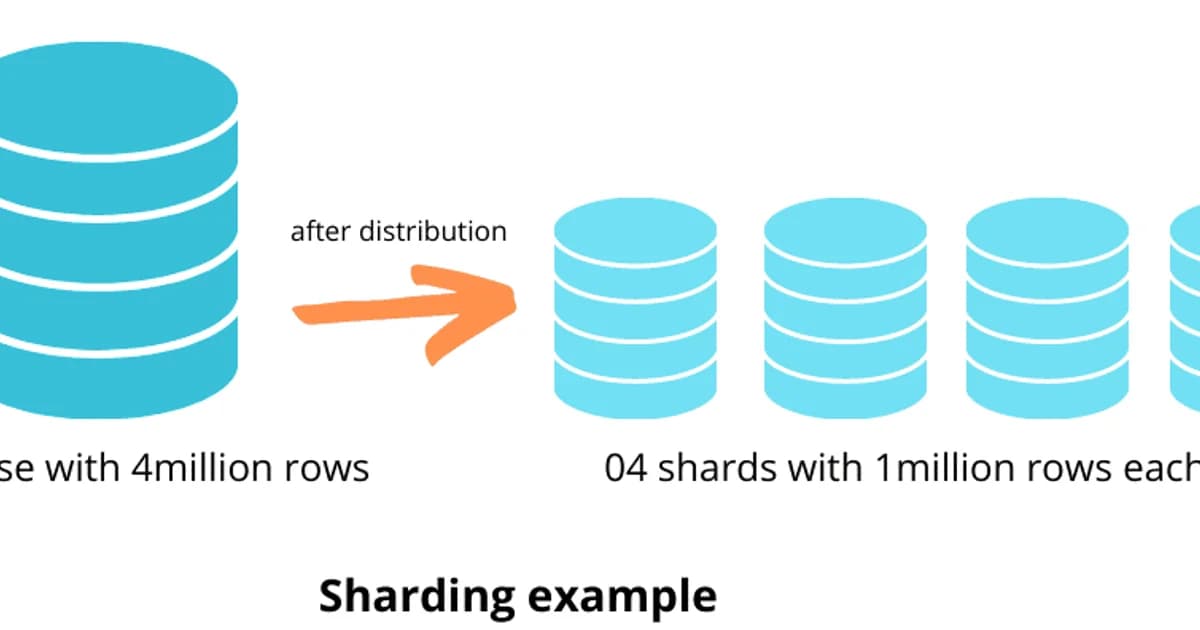
The Sharding Project That Cost a Team Nine Months and Should Have Been an Index
A fintech team I advised decided in Q2 that their PostgreSQL instance had hit its ceiling. Their 800 GB transactions table was driving dashboard queries that timed out at 30 seconds. The engineering director announced a sharding project. Six engineers, nine months of calendar time, a custom routing layer in the application, and a new on-call rotation for "shard rebalancing." The team delivered. Transactions spread across eight PostgreSQL shards keyed by customer_id. Dashboards got fast.
Then the finance team asked for a report that joined transactions across all customers over a 90-day window. Every query was now a scatter-gather across eight shards with application-side merging. The reports that used to take 30 seconds now took 110. Two of the six engineers had quit. The Q4 retrospective noted, quietly, that the dashboard slowness had actually been a missing composite index on (customer_id, created_at) -- a 20-minute migration that made the original queries return in under 400 ms on the unsharded database. Nine months of sharding work. One missing index.
That pattern repeats constantly because the words "sharding" and "partitioning" get used interchangeably, and teams reach for the wrong one. Partitioning splits a table into sub-tables inside a single database server. It is a configuration change with zero application impact. Sharding distributes data across multiple independent database servers. It is an architectural commitment that rewrites how every query runs. Partitioning is almost always the answer before sharding, and indexes are almost always the answer before partitioning.
This guide covers PostgreSQL range, list, and hash partitioning with working PostgreSQL syntax; the three real sharding strategies (hash, range, directory) with their hotspot and resharding gotchas; the alternatives you should exhaust first (indexes, read replicas, vertical scaling, distributed PostgreSQL); and a decision framework for knowing which lever you actually need. If you take one thing away, take the ordering: indexes → partitions → replicas → vertical scaling → distributed PostgreSQL → manual sharding. In that order, almost always.
PostgreSQL Partitioning: The Lever Most Teams Skip Past
Partitioning keeps the table logically whole from your application's perspective but stores it physically as many smaller sub-tables. Queries against the parent table still work; PostgreSQL's planner uses the WHERE clause to prune which partitions it scans. You get smaller per-partition indexes, faster sequential scans on the partitions it does touch, and the ability to drop an entire month of old data with a single DROP TABLE instead of a multi-hour DELETE + VACUUM cycle.
The Three Partition Types
| Partition Type | How It Splits | Best For | Example |
|---|---|---|---|
| Range | Value ranges | Time-series, dates, sequential IDs | Orders by month |
| List | Explicit value lists | Categories, regions, statuses | Users by country |
| Hash | Hash of column value | Even distribution, no natural range | Sessions by user_id hash |
Range Partitioning (Most Common)
-- Create a partitioned orders table by month
CREATE TABLE orders (
    id BIGSERIAL,
    customer_id INTEGER NOT NULL,
    total NUMERIC(10,2) NOT NULL,
    created_at TIMESTAMPTZ NOT NULL,
    status TEXT NOT NULL
) PARTITION BY RANGE (created_at);

-- Create monthly partitions
CREATE TABLE orders_2025_01 PARTITION OF orders
    FOR VALUES FROM ('2025-01-01') TO ('2025-02-01');
CREATE TABLE orders_2025_02 PARTITION OF orders
    FOR VALUES FROM ('2025-02-01') TO ('2025-03-01');
CREATE TABLE orders_2025_03 PARTITION OF orders
    FOR VALUES FROM ('2025-03-01') TO ('2025-04-01');

-- Queries automatically hit only relevant partitions
EXPLAIN SELECT * FROM orders WHERE created_at >= '2025-02-15';
-- Shows: Seq Scan on orders_2025_02 and orders_2025_03 only
-- Partitions orders_2025_01 is pruned

-- Drop old data instantly (no DELETE, no vacuum)
DROP TABLE orders_2025_01;
List Partitioning
-- Partition users by region
CREATE TABLE users (
    id BIGSERIAL,
    email TEXT NOT NULL,
    region TEXT NOT NULL,
    created_at TIMESTAMPTZ NOT NULL
) PARTITION BY LIST (region);

CREATE TABLE users_us PARTITION OF users FOR VALUES IN ('us-east', 'us-west');
CREATE TABLE users_eu PARTITION OF users FOR VALUES IN ('eu-west', 'eu-central');
CREATE TABLE users_apac PARTITION OF users FOR VALUES IN ('ap-south', 'ap-northeast');
Hash Partitioning
-- Distribute sessions evenly across 4 partitions
CREATE TABLE sessions (
    id UUID PRIMARY KEY,
    user_id INTEGER NOT NULL,
    data JSONB,
    expires_at TIMESTAMPTZ NOT NULL
) PARTITION BY HASH (user_id);

CREATE TABLE sessions_0 PARTITION OF sessions FOR VALUES WITH (MODULUS 4, REMAINDER 0);
CREATE TABLE sessions_1 PARTITION OF sessions FOR VALUES WITH (MODULUS 4, REMAINDER 1);
CREATE TABLE sessions_2 PARTITION OF sessions FOR VALUES WITH (MODULUS 4, REMAINDER 2);
CREATE TABLE sessions_3 PARTITION OF sessions FOR VALUES WITH (MODULUS 4, REMAINDER 3);
Pro tip: Hash partitioning distributes rows evenly but doesn't support partition pruning on range queries. Use it only when you need even distribution and your queries always include the partition key in equality conditions. For time-series data, range partitioning is almost always the better choice.
What Is Database Sharding?
Definition: Database sharding distributes data across multiple independent database servers (shards), where each shard holds a subset of the total data. Unlike partitioning, sharding scales both storage and compute horizontally, but requires the application or a routing layer to direct queries to the correct shard.
Sharding vs Partitioning: Complete Comparison
| Aspect | Partitioning | Sharding |
|---|---|---|
| Scope | Single server | Multiple servers |
| Scales | Query performance, maintenance | Read/write throughput, storage |
| Application changes | None (transparent) | Significant (routing logic) |
| Cross-partition queries | Automatic | Expensive (scatter-gather) |
| Transactions | Full ACID | Distributed transactions needed |
| Operational complexity | Low | High |
| Reshaping | Add partitions easily | Resharding is painful |
| When to use | Table > 100M rows on one server | Single server can't handle load |
Sharding Strategies
Key-Based (Hash) Sharding
Apply a hash function to the shard key (e.g., user_id) to determine which shard holds the data. This distributes data evenly but makes range queries across shards expensive.
# Simple hash-based shard routing
def get_shard(user_id: int, num_shards: int) -> int:
    return user_id % num_shards

# Problem: adding a shard remaps almost every key
# With 4 shards: user 17 -> shard 1
# With 5 shards: user 17 -> shard 2 (different!)

# Solution: consistent hashing
import hashlib

def consistent_hash(key: str, shards: list[str]) -> str:
    """Minimal key remapping when shards change."""
    hash_val = int(hashlib.md5(key.encode()).hexdigest(), 16)
    # In practice, use a hash ring with virtual nodes
    return shards[hash_val % len(shards)]
Range-Based Sharding
Assign ranges of the shard key to different shards. Users A-M on shard 1, N-Z on shard 2. This supports range queries within a shard but can create hotspots if the distribution is uneven.
Directory-Based Sharding
A lookup table maps each entity to its shard. Flexible but adds a dependency -- the directory itself becomes a bottleneck and single point of failure.
The Hardest Parts of Sharding
- Cross-shard queries -- a query that needs data from multiple shards requires scatter-gather. The application sends the query to all shards, merges results, and handles pagination. This is orders of magnitude slower than a single-shard query.
- Cross-shard transactions -- ACID transactions across shards require two-phase commit (2PC), which is slow and complex. Most sharded systems avoid cross-shard transactions entirely.
- Resharding -- when you need to add shards, you must migrate data from existing shards to new ones without downtime. This is the single most painful database operation I've ever performed.
- Choosing the shard key -- pick the wrong key and you get hotspots (one shard handles 90% of traffic) or constant cross-shard queries. The shard key should be present in the vast majority of your queries.
- Schema changes -- ALTER TABLE must be run on every shard. Migrations become deployment events that touch every database server.
Watch out: Once you shard, your data model is constrained by the shard key forever. If you shard by user_id, queries like "find all orders over $1000 across all users" become expensive scatter-gather operations. Choose your shard key based on your most critical query patterns, not just data distribution.
Alternatives to Sharding: Try These First
Before committing to the complexity of sharding, exhaust these alternatives:
- Add proper indexes -- a missing index is the #1 cause of slow queries. Check EXPLAIN ANALYZE before anything else.
- Partition large tables -- range partitioning by date handles most time-series growth.
- Add read replicas -- if reads are the bottleneck, streaming replication to replicas is far simpler than sharding.
- Add a caching layer -- Redis or Memcached for hot data reduces database load dramatically.
- Vertical scaling -- modern cloud instances offer 128+ vCPUs and 1+ TB of RAM. A bigger machine is cheaper than distributed systems engineering.
- Archive old data -- move historical data to cold storage (S3, BigQuery) and keep the active dataset small.
- Use a distributed database -- CockroachDB, YugabyteDB, or TiDB handle sharding transparently with a PostgreSQL-compatible interface.
Distributed PostgreSQL: Managed Sharding Solutions
| Solution | Approach | PostgreSQL Compatible | Starting Price/mo |
|---|---|---|---|
| Citus (Azure) | PostgreSQL extension for distributed tables | Yes (extension) | ~$200 (Azure Cosmos DB for PostgreSQL) |
| CockroachDB | Distributed SQL, auto-sharding | Wire-compatible | Free tier / $0.50/vCPU-hr |
| YugabyteDB | Distributed SQL, auto-sharding | Wire-compatible | Free tier / pay-per-use |
| TiDB | MySQL-compatible distributed SQL | No (MySQL wire protocol) | Free tier / pay-per-use |
| Neon | Serverless PostgreSQL, storage scaling | Yes (native) | $19 (Launch) |
If you need horizontal scaling with PostgreSQL compatibility, Citus is the most mature option -- it's a PostgreSQL extension that adds distributed table support. CockroachDB and YugabyteDB offer automatic sharding with strong consistency but aren't true PostgreSQL under the hood. For most teams, vertical scaling plus partitioning plus read replicas handles growth well past the point where sharding becomes necessary.
Decision Framework: When to Partition, When to Shard
- Table over 100 million rows, queries filter by a natural range (date, region)? Partition it.
- Single server handles the load but queries are slow on large tables? Partition and add proper indexes.
- Read traffic overwhelming the server? Add read replicas before considering sharding.
- Write traffic overwhelming a single server (tens of thousands of writes/second)? Now consider sharding or a distributed database.
- Dataset exceeds single server storage (multiple TB of active data)? Shard or use a distributed database.
- You can tolerate application-level routing and cross-shard query complexity? Manual sharding with consistent hashing.
- You want automatic sharding without rewriting your application? Evaluate Citus, CockroachDB, or YugabyteDB.
Frequently Asked Questions
What is the difference between sharding and partitioning?
Partitioning divides a table into smaller pieces within a single database server. The database handles routing transparently. Sharding distributes data across multiple independent servers, requiring application-level routing logic. Partitioning improves query performance; sharding scales total throughput and storage beyond what one server can handle.
When should I partition a PostgreSQL table?
Partition when a table exceeds 100 million rows and queries consistently filter on a column with natural ranges (timestamps, dates, regions). Partitioning also helps when you need fast data lifecycle management -- dropping a monthly partition is instant compared to DELETE statements that generate enormous WAL and vacuum load.
What is a shard key and how do I choose one?
A shard key is the column used to determine which shard holds a given row. Choose a key that appears in the WHERE clause of your most frequent queries, distributes data evenly across shards, and avoids cross-shard joins. For multi-tenant applications, tenant_id is usually the right shard key. For social platforms, user_id works well.
What is consistent hashing and why does sharding need it?
Consistent hashing maps keys to shards using a hash ring. When you add or remove a shard, only a fraction of keys need to be remapped -- unlike modulo hashing where adding a shard remaps nearly every key. This makes resharding operations dramatically less disruptive. Most production sharding systems use consistent hashing with virtual nodes for even distribution.
Can I shard PostgreSQL without rewriting my application?
Yes, using extensions like Citus or distributed databases like CockroachDB and YugabyteDB. Citus adds distributed table support directly to PostgreSQL. CockroachDB and YugabyteDB present a PostgreSQL-compatible interface with automatic sharding. These solutions handle shard routing transparently, though you'll still need to choose shard keys and understand cross-shard query costs.
What are the biggest risks of database sharding?
The top risks are: choosing the wrong shard key (leading to hotspots or excessive cross-shard queries), the operational complexity of resharding when you outgrow your shard count, loss of cross-shard ACID transactions, increased deployment complexity for schema changes, and the engineering investment required to build and maintain routing logic and monitoring.
Should I use partitioning or sharding for time-series data?
Start with range partitioning by time period (day, week, or month). This gives you partition pruning on time-range queries and instant data expiration by dropping old partitions. Only consider sharding if write throughput exceeds what a single server handles or if your dataset outgrows single-server storage. TimescaleDB automates time-based partitioning for PostgreSQL.
Written by
Abhishek Patel
Infrastructure engineer with 10+ years building production systems on AWS, GCP, and bare metal. Writes practical guides on cloud architecture, containers, networking, and Linux for developers who want to understand how things actually work under the hood.
Related Articles
SQLite at the Edge: When libSQL Beats Postgres
SQLite at the edge via libSQL embedded replicas and Cloudflare D1 delivers 2-5ms reads worldwide versus 20-100ms for Postgres read replicas. Real benchmarks, pricing comparisons, production failure modes, and a decision framework for when edge SQLite wins and when Postgres-with-replicas is still the right call.
15 min read
DatabasesSnowflake vs BigQuery vs Databricks vs Redshift (2026): Which Data Warehouse?
Snowflake wins on concurrency, BigQuery on serverless simplicity, Databricks on ML, Redshift on AWS depth. Real 2026 pricing, TPC-DS benchmarks, and a clear decision matrix.
16 min read
DatabasesPostgres as a Queue: When You Don't Need Kafka or RabbitMQ
Build a production-grade task queue entirely in PostgreSQL using SELECT FOR UPDATE SKIP LOCKED, LISTEN/NOTIFY, exponential backoff retries, and dead-letter handling. Covers PGMQ, Graphile Worker, River, and when a dedicated broker actually earns its keep.
14 min read
Enjoyed this article?
Get more like this in your inbox. No spam, unsubscribe anytime.