Docker Multi-Stage Builds: Smaller Images, Faster Deployments
Build in one stage, copy to a minimal runtime image. Practical multi-stage Dockerfile examples for Go, Node.js, and Python that cut image sizes by 10x or more.
Infrastructure engineer with 10+ years building production systems on AWS, GCP,…
The CVE in a Compiler We Shipped to Production
A pen-test report landed on a Wednesday. One item, severity high: the Node.js service image on production contained a vulnerable version of gcc -- specifically, a heap-overflow in the preprocessor that the distro had patched but we had not rebuilt against. Which was strange, because the service never compiled anything. It was a TypeScript API that ran node dist/index.js. Why was gcc on a production container at all?
Because the Dockerfile was single-stage. It did FROM node:20, ran npm install (which pulls in node-gyp, which needs a C toolchain for native modules like bcrypt), built the TypeScript, and left everything in the image. Every production pod was shipping the entire GNU toolchain, Python 3, OpenSSL headers, 387 MB of stuff that the API could not use but an attacker absolutely could. The image was 1.18 GB. After the rewrite to a multi-stage build it was 142 MB, the CVE was gone, and cold starts on ECR-pulled Fargate tasks dropped from 18 seconds to 3 seconds.
That is the practical argument for multi-stage builds. It is not image size as a vanity metric -- it is attack surface, CVE load, registry cost, and cold-start latency all improving together from the same structural change. This guide walks the pattern, the three-language examples that cover 90 percent of real codebases (Node.js, Go, Python), the cache-friendly layer order, and the failure modes that make multi-stage builds go sideways in CI.
How Multi-Stage Builds Work: Step by Step
- Define a build stage with a full SDK or compiler image (e.g.,
golang:1.22,node:20) - Install dependencies and compile your application inside that stage
- Start a new stage with a minimal runtime image (e.g.,
alpine,distroless,scratch) - Copy the built artifact from the build stage using
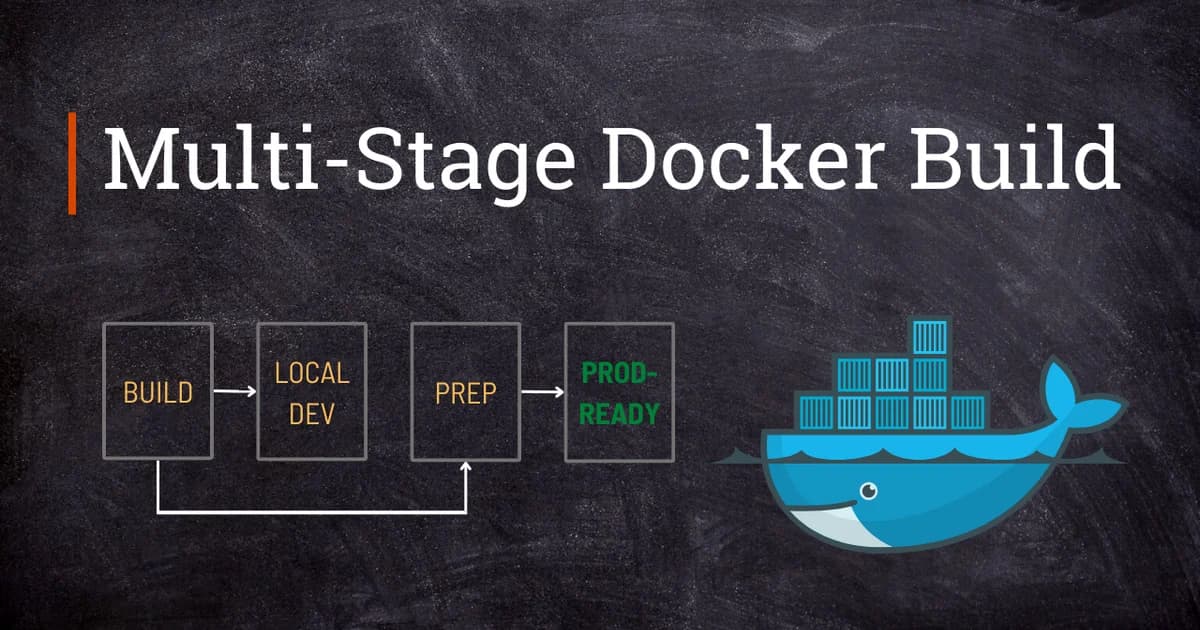
COPY --from=builder - Docker discards all intermediate stages -- only the final stage becomes your image
Example: Go Binary (From 800 MB to 12 MB)
Go is the poster child for multi-stage builds because it compiles to a static binary with no runtime dependencies.
# Stage 1: Build
FROM golang:1.22-alpine AS builder
WORKDIR /app
COPY go.mod go.sum ./
RUN go mod download
COPY . .
RUN CGO_ENABLED=0 GOOS=linux go build -ldflags="-s -w" -o /app/server ./cmd/server

# Stage 2: Runtime
FROM scratch
COPY --from=builder /app/server /server
COPY --from=builder /etc/ssl/certs/ca-certificates.crt /etc/ssl/certs/
EXPOSE 8080
ENTRYPOINT ["/server"]| Approach | Base Image | Final Size |
|---|---|---|
| Single stage (golang:1.22) | golang:1.22 | ~820 MB |
| Multi-stage (alpine) | alpine:3.19 | ~18 MB |
| Multi-stage (scratch) | scratch | ~12 MB |
Pro tip: Use
-ldflags="-s -w"when building Go binaries for containers. The-sflag strips the symbol table and-wstrips DWARF debug info. This typically saves 30-40% on binary size with no runtime impact.
Example: Node.js Application (From 1.1 GB to 150 MB)
Node.js doesn't compile to a binary, so the strategy is different: install all dependencies in the build stage, run the build step, then copy only production dependencies and built assets to the runtime stage.
# Stage 1: Install and build
FROM node:20-alpine AS builder
WORKDIR /app
COPY package.json pnpm-lock.yaml ./
RUN corepack enable && pnpm install --frozen-lockfile
COPY . .
RUN pnpm build

# Stage 2: Production
FROM node:20-alpine AS runner
WORKDIR /app
ENV NODE_ENV=production

COPY --from=builder /app/package.json /app/pnpm-lock.yaml ./
RUN corepack enable && pnpm install --frozen-lockfile --prod
COPY --from=builder /app/dist ./dist

EXPOSE 3000
USER node
CMD ["node", "dist/index.js"]
Watch out: Don't copy
node_modulesfrom the build stage. The build stage has dev dependencies (TypeScript, ESLint, test frameworks) that you don't want in production. Instead, run a freshpnpm install --prodin the runtime stage to get only production dependencies.
Example: Python Application (From 900 MB to 80 MB)
Python multi-stage builds work well when you have compiled dependencies (C extensions, Cython, etc.):
# Stage 1: Build wheels
FROM python:3.12-slim AS builder
WORKDIR /app
RUN pip install --no-cache-dir build wheel
COPY requirements.txt .
RUN pip wheel --no-cache-dir --wheel-dir /wheels -r requirements.txt

# Stage 2: Runtime
FROM python:3.12-slim
WORKDIR /app
COPY --from=builder /wheels /wheels
RUN pip install --no-cache-dir --no-index --find-links=/wheels /wheels/* && rm -rf /wheels
COPY . .

USER nobody
EXPOSE 8000
CMD ["python", "-m", "uvicorn", "app.main:app", "--host", "0.0.0.0"]
Named Stages and Stage Targeting
The AS keyword gives stages meaningful names. You can also build up to a specific stage using --target, which is powerful for development workflows:
# Build only the builder stage (useful for CI caching)
docker build --target builder -t my-app:build .

# Build the full production image
docker build -t my-app:latest .
Referencing External Images as Stages
You can copy from any image, not just previous stages in the same Dockerfile:
# Copy nginx config from the official image
COPY --from=nginx:alpine /etc/nginx/nginx.conf /etc/nginx/nginx.conf

# Copy a binary from a published tool image
COPY --from=aquasec/trivy:latest /usr/local/bin/trivy /usr/local/bin/trivy
Cache Invalidation and Layer Ordering
Layer caching is critical for fast builds. Docker caches each layer and reuses it if the inputs haven't changed. The key rule: put things that change rarely at the top, things that change often at the bottom.
Optimal Layer Order for Node.js
- Base image -- changes almost never
- Package manifest (
package.json, lockfile) -- changes when dependencies update - Dependency install -- cached until the manifest changes
- Source code copy -- changes on every commit
- Build step -- runs every time source changes
# GOOD: Dependencies cached separately from source
COPY package.json pnpm-lock.yaml ./
RUN pnpm install --frozen-lockfile
COPY . .
RUN pnpm build

# BAD: Any source change invalidates dependency cache
COPY . .
RUN pnpm install && pnpm build
Pro tip: Use a
.dockerignorefile aggressively. Excludenode_modules,.git,dist, test files, and documentation. Every file in the build context is sent to the Docker daemon, and unnecessary files bust the cache and slow builds.
For reference: a Docker multi-stage build is a Dockerfile pattern that uses multiple
FROMinstructions to create separate build stages. Each stage can use a different base image. Only the final stage becomes the output image, and you selectively copy artifacts from earlier stages usingCOPY --from. The pattern shipped in Docker 17.05 and replaced the old hack of chaining two Dockerfiles with a shell script.
Size Comparison: Base Image Options
| Base Image | Size | Package Manager | Shell | Best For |
|---|---|---|---|---|
| ubuntu:22.04 | 77 MB | apt | bash | Apps needing glibc + many system libs |
| debian:bookworm-slim | 74 MB | apt | bash | Slim Debian with essential packages |
| alpine:3.19 | 7 MB | apk | ash | Small images, musl-compatible apps |
| gcr.io/distroless/static | 2 MB | None | None | Static binaries (Go, Rust) |
| scratch | 0 MB | None | None | Absolute minimum, static binaries only |
Pricing and CI/CD Cost Impact
Smaller images directly reduce infrastructure costs:
- Registry storage -- Docker Hub free tier gives 1 public repo. Pro ($5/month) gives unlimited private repos. Smaller images mean less storage and faster pulls.
- CI build minutes -- GitHub Actions charges $0.008/min for Linux runners. Layer caching with multi-stage builds typically cuts build times by 40-60%.
- Network transfer -- AWS ECR charges $0.09/GB for data transfer. A 1 GB image pulled 1000 times/month costs $90; a 100 MB image costs $9.
- Cold start time -- serverless container platforms (AWS Fargate, Cloud Run) charge while pulling images. Smaller images = faster starts = lower bills.
Failure Modes: What Breaks in CI
The tutorial never fails. The pipeline occasionally does. These are the patterns I have debugged in other people's CIs more than once.
BuildKit Not Enabled, COPY --from Silently Wrong
Classic Docker builder (pre-BuildKit) processes stages serially and leaks context. If you are on an older build agent that defaults to the classic builder, COPY --from sometimes pulls from the wrong stage silently. Always set DOCKER_BUILDKIT=1 or use docker buildx build. BuildKit is the default on Docker 23+ but not everywhere in CI.
Cache Mount Mis-scoped, Dependencies Rebuild Every Run
A Dockerfile uses RUN --mount=type=cache,target=/root/.npm but the CI runner is ephemeral and does not persist BuildKit caches. Every build reinstalls everything from scratch and builds take 14 minutes instead of 90 seconds. Point BuildKit at a remote cache (GHA cache, type=registry, type=s3) and verify the cache hit rate in the build output.
Multi-Arch Build Produces a Broken amd64 Tag
docker buildx build --platform linux/amd64,linux/arm64 is great until an arm64-only dependency pulls in an amd64-only binary during npm install. The result is a manifest list where the amd64 variant crashes at startup. Build each architecture separately in parallel CI jobs and push them as a manifest at the end.
Secret Leaked via RUN echo $SECRET Debug Line
BuildKit's --mount=type=secret is specifically designed so secrets never end up in a layer. A teammate adds a RUN echo $NPM_TOKEN for debugging, forgets it, and the token is now in the image history forever. Always docker history an image before pushing; enforce it with dive in CI.
Pairing Multi-Stage Builds with Image Scanning
A multi-stage build reduces attack surface, but it does not eliminate CVEs in the runtime base image or the application dependencies. The combined workflow that actually ships a trustworthy image looks like this.
- Build: multi-stage Dockerfile, distroless or Alpine runtime, no package manager in the final stage.
- Scan: Trivy or Grype in CI,
severity: CRITICAL,HIGH,exit-code: 1so the pipeline fails on real findings. - Sign:
cosign signwith a keyless OIDC identity. Attach the SBOM as an attestation. - Promote: only signed + scanned images are allowed into the production registry repository. Kyverno / OPA Gatekeeper enforces the signature check at admission.
- Monitor: rescan all production images nightly. A CVE disclosed today against yesterday's image needs to reach on-call within 24 hours, not at the next build.
Pro tip: never hand-roll a CI step that does all of the above from scratch. Use
docker/build-push-actionfor building and pushing,aquasecurity/trivy-actionfor scanning, andsigstore/cosign-installerfor signing. Each is maintained by the tool's author and handles the edge cases for you.
Frequently Asked Questions
Do multi-stage builds make the build process slower?
No. The total build time is roughly the same because you're doing the same work -- compiling, installing dependencies. The difference is the final image is smaller because intermediate layers (compilers, dev tools) are discarded. With proper layer caching, multi-stage builds can actually be faster because cached layers are smaller.
Can I have more than two stages in a Dockerfile?
Yes. You can have as many stages as you need. Common patterns include a dependencies stage, a build stage, a test stage, and a final runtime stage. Only the last FROM (or the one targeted with --target) becomes the output image.
What is the difference between scratch and distroless?
scratch is a completely empty image -- zero bytes, no files. Distroless images from Google contain minimal OS libraries (CA certificates, timezone data, glibc) but no shell, package manager, or other tools. Use scratch for fully static binaries; use distroless when your binary needs system libraries.
Should I use Alpine or Debian slim as my runtime base?
Alpine is smaller (7 MB vs 74 MB) but uses musl libc instead of glibc. Most applications work fine on Alpine, but some compiled dependencies (especially Python C extensions) may have compatibility issues with musl. If you hit strange runtime errors, switch to Debian slim. Otherwise, Alpine is the better default.
How do I debug a multi-stage build if something fails?
Use docker build --target builder to build up to a specific stage, then run a shell in that image: docker run -it --rm my-app:build sh. You can inspect the filesystem, check installed packages, and verify build output. This is much easier than debugging a single monolithic build.
Do all layers from previous stages get included in the final image?
No. That's the entire point. Only the layers from the final stage (and any files explicitly copied with COPY --from) end up in the output image. All intermediate stage layers are used during the build and then discarded. This is why the final image is so much smaller.
Conclusion
Multi-stage builds should be your default for every Dockerfile. The pattern is simple: build in a full image, copy to a minimal one. Start with the examples above for your language, add a .dockerignore, order your layers for caching, and you'll have images that are faster to push, faster to pull, and harder to exploit. There's no good reason to ship a compiler to production.
Written by
Abhishek Patel
Infrastructure engineer with 10+ years building production systems on AWS, GCP, and bare metal. Writes practical guides on cloud architecture, containers, networking, and Linux for developers who want to understand how things actually work under the hood.
Related Articles
Best Vulnerability Scanners for Containers (2026): Snyk vs Trivy vs Grype vs Aqua
Benchmarked comparison of Snyk, Trivy, Grype, and Aqua against 100 production images. Real 2026 pricing, false-positive rates, scan times, and a decision matrix for picking the right scanner.
15 min read
ContainersKubernetes GPU Scheduling: DRA, KAI Scheduler, MIG
Dynamic Resource Allocation replaced device plugins for GPU claims in Kubernetes 1.34. KAI Scheduler adds gang scheduling and queues. MIG slices H100s into 7 isolated tenants. Full production setup with the NVIDIA GPU Operator, topology-aware training, and when to use MIG vs MPS vs time-slicing.
17 min read
AI/ML EngineeringvLLM vs TGI vs Triton: LLM Inference Server Comparison
Production LLM serving with vLLM 0.7, TGI 3.0, and NVIDIA Triton + TensorRT-LLM. Llama 3.1 70B H100 benchmarks, FP8 KV-cache numbers, $/1M token math, and a decision framework for picking the right server per team shape.
18 min read
Enjoyed this article?
Get more like this in your inbox. No spam, unsubscribe anytime.