PostgreSQL Indexes Explained: B-Tree, GIN, GiST, Hash, and BRIN
A complete guide to PostgreSQL index types. Learn when to use B-Tree, Hash, GIN, GiST, BRIN, and partial indexes with real SQL examples, EXPLAIN ANALYZE verification, and index maintenance strategies.
Infrastructure engineer with 10+ years building production systems on AWS, GCP,…
The Query Was 4.3 Seconds. The Fix Was One Line.
A support engineer pinged me with an EXPLAIN ANALYZE dump. The query was a filter on orders.status = 'pending' joined to customers, returning 312 rows. Runtime: 4.3 seconds on a 14 million-row table. The plan was a Seq Scan on orders feeding a hash join, with the filter applied after reading every row on disk. No index existed on status, and the product team had been blaming "the database being slow" for six weeks.
I ran CREATE INDEX CONCURRENTLY idx_orders_status ON orders (status) WHERE status = 'pending'; in a separate session. Three minutes later the same query ran in 5 milliseconds. Same Postgres, same hardware, same SQL. The only change was that the planner now had a partial B-Tree covering the 0.2% of rows that matched, instead of scanning the other 99.8% to prove they didn't. That 860x delta is the shape of nearly every "slow query" ticket I've worked on in twelve years of operating Postgres -- a missing Postgres index, or an index that exists but covers the wrong columns.
The trap is that CREATE INDEX isn't a free button. Postgres ships six index types (B-Tree, Hash, GIN, GiST, SP-GiST, BRIN), plus partial, expression, and covering variants, and choosing the wrong one can make writes slower without helping reads at all. A GIN index on a write-heavy JSONB column can drop your insert throughput by 40% while contributing nothing to the query you were trying to speed up. This guide walks every index type, the exact workload each one fits, and the EXPLAIN reads that tell you whether Postgres is actually using what you just built -- because a partial index that the planner ignores is disk space and write amplification for nothing.
PostgreSQL Index Types: Complete Comparison
Here's when to use each index type. If you're unsure, B-Tree is almost certainly the right choice.
| Index Type | Best For | Supports ORDER BY | Supports Range Queries | Multi-Column |
|---|---|---|---|---|
| B-Tree | Equality, range, sorting | Yes | Yes | Yes |
| Hash | Equality only | No | No | No |
| GIN | Full-text search, JSONB, arrays | No | No | Yes |
| GiST | Geometry, ranges, nearest-neighbor | No | Yes (ranges) | Yes |
| BRIN | Huge tables with naturally ordered data | No | Yes | Yes |
| Partial | Subsets of rows matching a WHERE clause | Depends on type | Depends on type | Yes |
B-Tree: The Default (And Usually the Right Choice)
When you run CREATE INDEX without specifying a type, you get a B-Tree. It handles equality (=), range (<, >, BETWEEN), sorting (ORDER BY), and IS NULL checks. B-Tree indexes store data in sorted order, which is why they're so versatile.
-- Basic B-Tree index
CREATE INDEX idx_orders_customer_id ON orders (customer_id);

-- Multi-column B-Tree (column order matters!)
CREATE INDEX idx_orders_status_created ON orders (status, created_at DESC);

-- The planner can use this for:
-- WHERE status = 'pending'
-- WHERE status = 'pending' AND created_at > '2025-01-01'
-- ORDER BY status, created_at DESC
-- But NOT for: WHERE created_at > '2025-01-01' alone (first column not referenced)
Pro tip: Multi-column B-Tree indexes follow the "leftmost prefix" rule. An index on
(a, b, c)can satisfy queries on(a),(a, b), or(a, b, c)-- but not(b)or(c)alone. Put the most selective column first, or the column that appears in equality conditions.
B-Tree is the right choice for 90% of indexes you'll create. It's well-optimized, well-understood, and covers most query patterns. Only consider other types when B-Tree can't handle your data type or query pattern.
Hash Indexes: Rarely the Right Choice
Hash indexes support only equality comparisons (=). They can't handle range queries, sorting, or IS NULL. Before PostgreSQL 10, they weren't even crash-safe -- they weren't written to the WAL.
-- Hash index (equality only)
CREATE INDEX idx_sessions_token ON sessions USING hash (token);

-- Works for: WHERE token = 'abc123'
-- Does NOT work for: WHERE token LIKE 'abc%' or ORDER BY token
In theory, hash indexes are faster than B-Tree for pure equality lookups because the hash function maps directly to a bucket. In practice, the difference is negligible for most workloads, and you lose all the flexibility of B-Tree. I've used hash indexes exactly twice in production over 12 years -- both times on lookup tables with hundreds of millions of rows where every query was an exact match on a UUID column.
GIN: Full-Text Search, JSONB, and Arrays
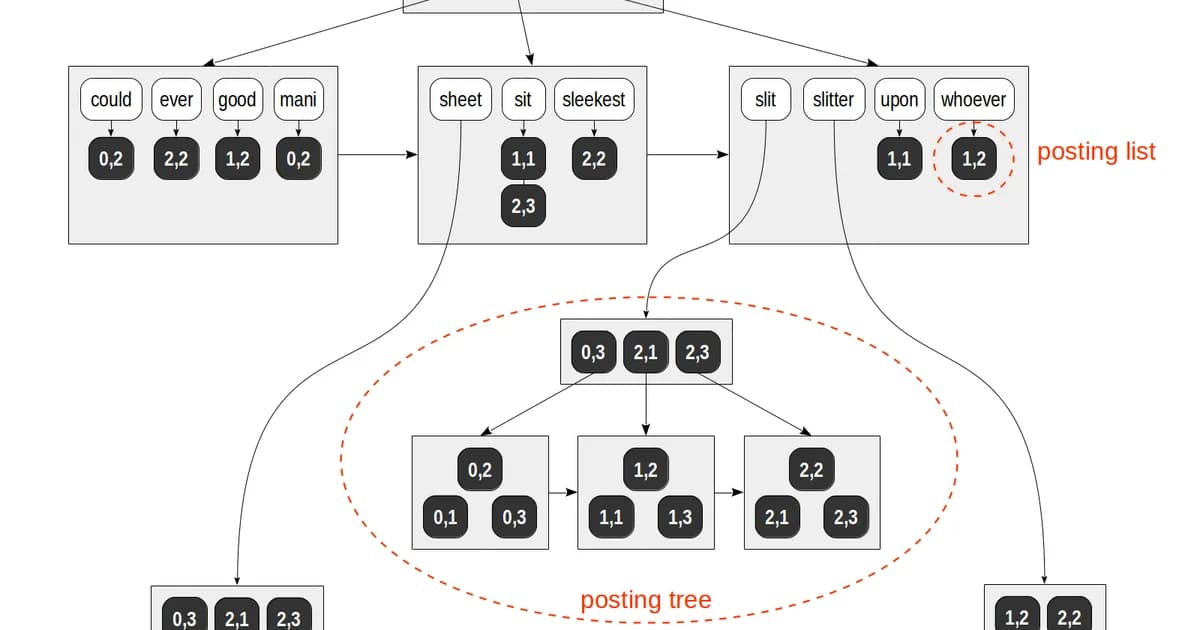
GIN (Generalized Inverted Index) is purpose-built for values that contain multiple elements. Think full-text search vectors, JSONB documents, and array columns. GIN creates an entry for each element and points back to the rows containing it.
-- Full-text search with GIN
CREATE INDEX idx_articles_search ON articles USING gin (to_tsvector('english', title || ' ' || body));

-- Query using the index
SELECT * FROM articles
WHERE to_tsvector('english', title || ' ' || body) @@ to_tsquery('english', 'postgresql & indexes');

-- JSONB containment with GIN
CREATE INDEX idx_events_data ON events USING gin (metadata jsonb_path_ops);

-- Query JSONB
SELECT * FROM events WHERE metadata @> '{"source": "api", "version": 2}';

-- Array overlap with GIN
CREATE INDEX idx_posts_tags ON posts USING gin (tags);
SELECT * FROM posts WHERE tags @> ARRAY['postgresql', 'performance'];Warning: GIN indexes are expensive to build and update. Every element in the indexed value gets its own index entry. A JSONB column with 50 keys per row creates 50 index entries per row. On write-heavy tables, consider
gin_pending_list_limitto batch index updates, accepting slightly stale reads.
If you're building a search feature on top of PostgreSQL and don't want to bring in Elasticsearch, GIN with tsvector is the way to do it. It's remarkably capable for most use cases.
GiST: Geometry, Ranges, and Nearest-Neighbor
GiST (Generalized Search Tree) handles data types where you need overlap, containment, or proximity queries. PostGIS uses GiST extensively for spatial data. It's also the go-to for range types and nearest-neighbor searches.
-- Spatial index with PostGIS
CREATE INDEX idx_locations_geom ON locations USING gist (geom);

-- Find points within 5km
SELECT * FROM locations
WHERE ST_DWithin(geom, ST_MakePoint(-73.9857, 40.7484)::geography, 5000);

-- Range type index
CREATE INDEX idx_reservations_during ON reservations USING gist (during);

-- Find overlapping reservations
SELECT * FROM reservations
WHERE during && tsrange('2025-06-01', '2025-06-15');

-- Nearest-neighbor search (K-NN)
SELECT * FROM locations
ORDER BY geom <-> ST_MakePoint(-73.9857, 40.7484)::geometry
LIMIT 10;
GiST is lossy for some data types -- it may return false positives that PostgreSQL filters out in a recheck step. This is fine; the planner handles it automatically. The key advantage over B-Tree is that GiST can answer "find me the 10 nearest points" efficiently, something B-Tree cannot do at all.
BRIN: Tiny Indexes for Huge Tables
BRIN (Block Range Index) is the smallest index type available. Instead of indexing every row, it stores summary information (min/max values) for ranges of physical table blocks. This works brilliantly when data is inserted in roughly sorted order -- think time-series data, log tables, or append-only event streams.
-- BRIN index on a time-series table
CREATE INDEX idx_events_created ON events USING brin (created_at);

-- A table with 500 million rows might have:
-- B-Tree index: 10 GB
-- BRIN index: 50 MB

-- BRIN works because rows inserted at 10:00 AM are physically near other 10:00 AM rows
-- The planner knows "block 4500-4600 contains timestamps between 10:00 and 10:15"
Pro tip: BRIN is useless if your table has been heavily updated or if data wasn't inserted in order. Run
SELECT correlation FROM pg_stats WHERE tablename = 'events' AND attname = 'created_at'-- if the value is close to 1.0 or -1.0, BRIN will work well. Below 0.9, stick with B-Tree.
BRIN's storage savings are dramatic. For a 100 GB table, a B-Tree index on a timestamp column might consume 2-3 GB. The equivalent BRIN index uses a few megabytes. On append-only tables where you query by time range, BRIN is almost always the right call.
Partial Indexes: Index Only What Matters
A partial index includes a WHERE clause that limits which rows are indexed. If 95% of your orders are completed and you only ever query pending ones, why index all of them?
-- Only index pending orders
CREATE INDEX idx_orders_pending ON orders (created_at)
WHERE status = 'pending';

-- This index is tiny compared to a full index
-- And it's faster because the planner skips 95% of the table

-- Partial unique index (enforce uniqueness only for active records)
CREATE UNIQUE INDEX idx_users_email_active ON users (email)
WHERE deleted_at IS NULL;

-- Allows duplicate emails for soft-deleted users
-- But enforces unique emails for active users
Partial indexes are one of PostgreSQL's most underused features. They're smaller, faster to scan, and cheaper to maintain. Any time you have a status column where you only query a small subset, a partial index should be your first thought.
Verifying Index Usage with EXPLAIN ANALYZE
Creating an index doesn't guarantee PostgreSQL will use it. The query planner might decide a sequential scan is faster -- and it's often right for small tables or queries that return a large percentage of rows. Here's how to check:
-- Always use EXPLAIN (ANALYZE, BUFFERS) -- not just EXPLAIN
EXPLAIN (ANALYZE, BUFFERS, FORMAT TEXT)
SELECT * FROM orders WHERE customer_id = 12345;

-- Good output (index is used):
-- Index Scan using idx_orders_customer_id on orders
--   Index Cond: (customer_id = 12345)
--   Buffers: shared hit=4
--   Planning Time: 0.1 ms
--   Execution Time: 0.05 ms

-- Bad output (sequential scan despite index existing):
-- Seq Scan on orders
--   Filter: (customer_id = 12345)
--   Rows Removed by Filter: 999900
--   Buffers: shared hit=8334
--   Planning Time: 0.1 ms
--   Execution Time: 120.5 ms
Steps to Diagnose an Unused Index
- Run
EXPLAIN (ANALYZE, BUFFERS)on the actual slow query -- not a simplified version - Check if the planner chose a Seq Scan when you expected an Index Scan
- Verify the WHERE clause matches the indexed columns exactly (including type casts)
- Check
pg_stat_user_indexesto see if the index has ever been used:SELECT * FROM pg_stat_user_indexes WHERE relname = 'orders' - Run
ANALYZE ordersto update table statistics -- the planner relies on these - Check if the table is small enough that a sequential scan is genuinely faster
Note:
EXPLAIN ANALYZEactually executes the query. On aDELETEorUPDATE, wrap it in a transaction and roll back:BEGIN; EXPLAIN ANALYZE DELETE FROM ...; ROLLBACK;
Index Bloat and Maintenance
PostgreSQL's MVCC model means that UPDATE and DELETE operations don't immediately remove old row versions. Dead tuples accumulate in indexes, causing bloat. A bloated index is larger than necessary and slower to scan.
-- Check index bloat (simplified)
SELECT
  schemaname || '.' || indexrelname AS index_name,
  pg_size_pretty(pg_relation_size(indexrelid)) AS index_size,
  idx_scan AS times_used,
  idx_tup_read AS tuples_read
FROM pg_stat_user_indexes
ORDER BY pg_relation_size(indexrelid) DESC
LIMIT 20;

-- Rebuild a bloated index without locking the table
REINDEX INDEX CONCURRENTLY idx_orders_customer_id;

-- Or rebuild all indexes on a table
REINDEX TABLE CONCURRENTLY orders;
Autovacuum handles most dead tuple cleanup, but heavily updated tables can outpace it. If you see index sizes growing disproportionately to table size, increase autovacuum_vacuum_scale_factor for that table or schedule manual REINDEX CONCURRENTLY operations during low-traffic windows.
The Write Cost of Indexes
Every index on a table adds overhead to write operations. For read-heavy tables (analytics dashboards, content sites), this rarely matters. For write-heavy tables (event streams, logging, high-throughput queues), it's significant.
| Operation | 0 Indexes | 3 Indexes | 6 Indexes | 10 Indexes |
|---|---|---|---|---|
| INSERT | 1x (baseline) | 1.5-2x slower | 2-3x slower | 3-5x slower |
| UPDATE (indexed col) | 1x | 1.5-2x slower | 2-3x slower | 3-5x slower |
| DELETE | 1x | 1.2-1.5x slower | 1.5-2x slower | 2-3x slower |
Warning: Don't index every column "just in case." Every unused index is wasted disk space and wasted write performance. Audit unused indexes quarterly:
SELECT indexrelname, idx_scan FROM pg_stat_user_indexes WHERE idx_scan = 0 AND schemaname = 'public'
Managed PostgreSQL: Hosting and Pricing Comparison
Index behavior and maintenance differ across managed PostgreSQL providers. Some handle REINDEX automatically; others leave it to you. Here's a comparison of popular options for a production workload (4 vCPU, 16 GB RAM, 100 GB storage):
| Provider | Starting Price/mo | Auto-Vacuum Tuning | Read Replicas | Connection Pooling |
|---|---|---|---|---|
| AWS RDS | ~$190 | Configurable | Up to 15 | RDS Proxy ($) |
| Google Cloud SQL | ~$175 | Configurable | Up to 10 | Built-in (AlloyDB) |
| Azure Database | ~$200 | Configurable | Up to 5 | PgBouncer built-in |
| Supabase | $25 (Pro) | Managed | Up to 2 | Built-in (Supavisor) |
| Neon | $19 (Launch) | Managed | Via branching | Built-in |
| Crunchy Bridge | ~$100 | Managed | Up to 5 | Built-in |
If you're running PostgreSQL in production, a managed service is almost always worth it. The operational overhead of handling backups, failovers, and vacuum tuning is real. Neon and Supabase are compelling options for startups. AWS RDS and Cloud SQL remain the safe choices for enterprise workloads where you need fine-grained control over index maintenance and vacuum settings.
Practical Index Strategy: A Decision Framework
When deciding what to index, follow this order:
- Start with no indexes beyond the primary key. Measure actual query performance first.
- Check slow query logs -- focus on queries that run frequently, not just the slowest one-off reports.
- Add B-Tree indexes on columns in WHERE clauses and JOIN conditions.
- Consider partial indexes whenever you're filtering on a status column with skewed distribution.
- Use GIN for JSONB and full-text search -- don't try to force B-Tree on these data types.
- Switch to BRIN for time-series tables with hundreds of millions of rows where data arrives in order.
- Verify with EXPLAIN ANALYZE after every index change. Trust the planner's output, not your assumptions.
Frequently Asked Questions
How many indexes should a PostgreSQL table have?
There's no fixed limit, but most tables work well with 3-5 indexes. Every index adds write overhead and consumes disk space. Start with indexes on primary key and foreign keys, then add indexes based on actual slow queries from pg_stat_statements. Audit unused indexes quarterly and drop any with zero scans.
Does PostgreSQL automatically create indexes?
PostgreSQL automatically creates a unique index for every PRIMARY KEY and UNIQUE constraint. It does not create indexes on foreign key columns -- this is a common source of slow JOINs and you should add these manually. It also does not create indexes based on query patterns; that's your job.
When should I use GIN instead of B-Tree?
Use GIN when the column contains composite values: JSONB documents, arrays, or full-text search vectors. B-Tree can't index the internal structure of these types. If you need to query "find rows where the JSONB column contains this key" or "where the array includes these values," GIN is the only option that works efficiently.
What is index bloat and how do I fix it?
Index bloat occurs when dead tuples from updates and deletes accumulate in the index structure. The index grows larger without containing more useful data. Fix it with REINDEX CONCURRENTLY, which rebuilds the index without locking the table. Monitor bloat by comparing the index size to the estimated ideal size using the pgstattuple extension.
Can I create an index without locking the table?
Yes. Use CREATE INDEX CONCURRENTLY. This builds the index in the background without blocking reads or writes. It takes longer than a regular CREATE INDEX because it scans the table twice, but it's essential for production databases. If the build fails partway through, you'll have an invalid index that you need to drop and retry.
Why is PostgreSQL not using my index?
The query planner may skip your index for several reasons: the table is small enough that a sequential scan is faster, the query returns too many rows (typically over 10-15% of the table), statistics are outdated (run ANALYZE), or the WHERE clause doesn't match the index columns due to type casting or function calls. Always check with EXPLAIN ANALYZE.
What is the difference between BRIN and B-Tree for time-series data?
BRIN stores min/max summaries per block range, making it 100-200x smaller than a B-Tree on the same column. It works well when data is physically ordered (high correlation). B-Tree is faster for point lookups and sorting but uses far more storage. For append-only time-series tables over 100 million rows, BRIN is usually the better trade-off.
Written by
Abhishek Patel
Infrastructure engineer with 10+ years building production systems on AWS, GCP, and bare metal. Writes practical guides on cloud architecture, containers, networking, and Linux for developers who want to understand how things actually work under the hood.
Related Articles
SQLite at the Edge: When libSQL Beats Postgres
SQLite at the edge via libSQL embedded replicas and Cloudflare D1 delivers 2-5ms reads worldwide versus 20-100ms for Postgres read replicas. Real benchmarks, pricing comparisons, production failure modes, and a decision framework for when edge SQLite wins and when Postgres-with-replicas is still the right call.
15 min read
DatabasesSnowflake vs BigQuery vs Databricks vs Redshift (2026): Which Data Warehouse?
Snowflake wins on concurrency, BigQuery on serverless simplicity, Databricks on ML, Redshift on AWS depth. Real 2026 pricing, TPC-DS benchmarks, and a clear decision matrix.
16 min read
DatabasesPostgres as a Queue: When You Don't Need Kafka or RabbitMQ
Build a production-grade task queue entirely in PostgreSQL using SELECT FOR UPDATE SKIP LOCKED, LISTEN/NOTIFY, exponential backoff retries, and dead-letter handling. Covers PGMQ, Graphile Worker, River, and when a dedicated broker actually earns its keep.
14 min read
Enjoyed this article?
Get more like this in your inbox. No spam, unsubscribe anytime.