cgroups and Namespaces: The Building Blocks of Containers
Understand the Linux kernel features behind containers. Learn namespaces for PID, network, and mount isolation, cgroups for CPU and memory limits, and how to build a container by hand with unshare and nsenter.
Infrastructure engineer with 10+ years building production systems on AWS, GCP,…
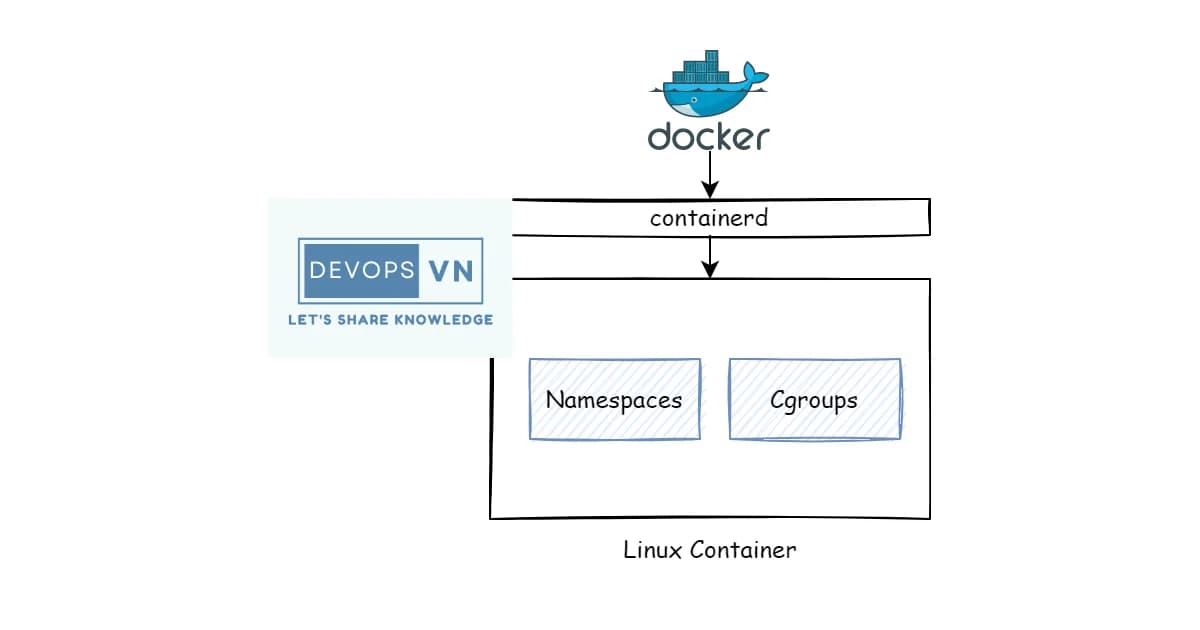
Containers Aren't Magic -- They're cgroups and Namespaces
Docker didn't invent containers. It made them accessible. Underneath every Docker container and Kubernetes pod are two Linux kernel features: cgroups for resource control and namespaces for isolation. If you understand these two primitives, you understand what containers actually are -- and more importantly, what they aren't.
This isn't abstract theory. When a container escapes its memory limit and gets OOM-killed, that's cgroups. When two containers can't see each other's processes, that's namespaces. When you're debugging why a containerized app behaves differently than on bare metal, the answer is almost always in one of these two subsystems.
What Are Namespaces?
Definition: Linux namespaces are a kernel feature that partitions system resources so that one set of processes sees one set of resources while another set of processes sees a different set. Each namespace type isolates a specific global resource -- process IDs, network interfaces, mount points, and more.
Namespaces answer the question: "What can this process see?" A process in a PID namespace sees its own process tree starting from PID 1. A process in a network namespace has its own IP addresses, routing tables, and firewall rules. From inside, it looks like a separate machine.
The Seven Namespace Types
| Namespace | Flag | What It Isolates | Introduced |
|---|---|---|---|
| PID | CLONE_NEWPID | Process IDs | Linux 3.8 |
| Network | CLONE_NEWNET | Network devices, IPs, routes, firewall | Linux 2.6.29 |
| Mount | CLONE_NEWNS | Mount points (filesystem view) | Linux 2.4.19 |
| UTS | CLONE_NEWUTS | Hostname and domain name | Linux 2.6.19 |
| IPC | CLONE_NEWIPC | System V IPC, POSIX message queues | Linux 2.6.19 |
| User | CLONE_NEWUSER | User and group IDs | Linux 3.8 |
| Cgroup | CLONE_NEWCGROUP | Cgroup root directory | Linux 4.6 |
PID Namespaces
The most intuitive namespace type. Inside a PID namespace, the first process is PID 1. It can't see processes outside its namespace, and the host can see all processes across all namespaces.
# Create a new PID namespace and run bash inside it
sudo unshare --pid --fork --mount-proc bash

# Inside the new namespace
ps aux
# You'll only see bash and ps -- nothing else

# From the host, the process is visible with its "real" PID
ps aux | grep bash
Network Namespaces
Each network namespace gets its own network stack: interfaces, IP addresses, routing table, iptables rules, and sockets. This is how Docker gives each container its own IP.
# Create a named network namespace
sudo ip netns add myns

# Run a command inside it
sudo ip netns exec myns ip addr
# Only has loopback -- no eth0

# Create a veth pair (virtual ethernet cable)
sudo ip link add veth0 type veth peer name veth1

# Move one end into the namespace
sudo ip link set veth1 netns myns

# Assign IPs
sudo ip addr add 10.0.0.1/24 dev veth0
sudo ip link set veth0 up
sudo ip netns exec myns ip addr add 10.0.0.2/24 dev veth1
sudo ip netns exec myns ip link set veth1 up

# Now they can communicate
ping 10.0.0.2
Mount Namespaces
Mount namespaces give each process its own view of the filesystem. A container can mount /tmp as a tmpfs without affecting the host. This is also how containers get their own root filesystem via pivot_root or chroot.
What Are cgroups?
Definition: Control groups (cgroups) are a Linux kernel feature that limits, accounts for, and isolates the resource usage of process groups. They control how much CPU, memory, disk I/O, and network bandwidth a set of processes can consume, and they enforce those limits by throttling or killing processes that exceed them.
While namespaces control what a process can see, cgroups control what a process can use. They answer: "How much of this resource can this process consume?"
Key cgroup Controllers
| Controller | Resource | What It Controls |
|---|---|---|
cpu | CPU time | CPU shares, quotas, and periods |
memory | RAM | Memory limits, swap limits, OOM behavior |
io (blkio v1) | Disk I/O | Read/write bandwidth and IOPS limits |
pids | Process count | Maximum number of processes |
cpuset | CPU affinity | Pin processes to specific CPU cores |
cgroups v1 vs v2
| Feature | cgroups v1 | cgroups v2 |
|---|---|---|
| Hierarchy | Multiple hierarchies (one per controller) | Single unified hierarchy |
| Controller attachment | Each controller has its own tree | All controllers in one tree |
| Delegation | Complex, error-prone | Clean delegation model |
| Pressure Stall Info | Not available | PSI metrics for CPU, memory, I/O |
| Status | Legacy, still widely used | Default in modern kernels |
# Check which cgroup version is in use
stat -fc %T /sys/fs/cgroup/
# "cgroup2fs" = v2, "tmpfs" = v1

# View cgroup hierarchy (v2)
ls /sys/fs/cgroup/

# See a process's cgroup membership
cat /proc/self/cgroup
Setting Resource Limits with cgroups v2
# Create a cgroup
sudo mkdir /sys/fs/cgroup/myapp

# Set memory limit to 256MB
echo 268435456 | sudo tee /sys/fs/cgroup/myapp/memory.max

# Set CPU limit to 50% of one core (50ms every 100ms)
echo "50000 100000" | sudo tee /sys/fs/cgroup/myapp/cpu.max

# Set max number of processes
echo 100 | sudo tee /sys/fs/cgroup/myapp/pids.max

# Add a process to the cgroup
echo $$ | sudo tee /sys/fs/cgroup/myapp/cgroup.procs

# Verify
cat /proc/self/cgroup
Watch out: When a process exceeds its memory.max limit, the kernel's OOM killer terminates it. There's no graceful warning by default. In containers, this shows up as the container being killed with exit code 137. Monitor memory.current against memory.max to catch problems before the OOM killer does.
How Containers Combine Namespaces and cgroups
A container is just a process (or group of processes) running with:
- Namespaces for isolation -- its own PID tree, network stack, mount points, hostname, user IDs
- cgroups for resource limits -- bounded CPU, memory, I/O, process count
- A root filesystem -- typically an overlay filesystem built from image layers
- Seccomp and capabilities -- further restricting which system calls and kernel features are available
That's it. No virtualization, no hypervisor. The process runs on the host kernel, sharing the same kernel as every other container. This is why containers are faster to start than VMs and why a kernel vulnerability affects all containers on the host.
Building a Container by Hand
You can create a container-like environment using standard Linux tools. This is instructive -- it shows there's no magic involved.
Steps to create a minimal container manually
- Get a root filesystem -- download an Alpine Linux rootfs tarball or use
debootstrapfor Debian - Create namespaces with unshare -- isolate PID, mount, network, UTS, and IPC
- Set the hostname -- use
hostnameinside the UTS namespace - Mount proc -- mount a new procfs inside the mount namespace so
psworks correctly - Pivot root -- switch the root filesystem to the downloaded rootfs
- Set cgroup limits -- create a cgroup and assign the process to it
# Download Alpine rootfs
mkdir -p /tmp/container/rootfs
cd /tmp/container
curl -o alpine.tar.gz https://dl-cdn.alpinelinux.org/alpine/v3.19/releases/x86_64/alpine-minirootfs-3.19.0-x86_64.tar.gz
tar xzf alpine.tar.gz -C rootfs

# Create namespaces and enter the container
sudo unshare --pid --fork --net --mount --uts --ipc \
  chroot rootfs /bin/sh -c "
    mount -t proc proc /proc
    hostname my-container
    echo 'Inside the container!'
    ps aux
    hostname
  "
# Inspect namespaces of a running container (Docker example)
# Find the container PID
docker inspect --format '{{.State.Pid}}' mycontainer
# Enter the container's namespaces
sudo nsenter --target PID --mount --uts --ipc --net --pidPro tip:
nsenteris invaluable for debugging. It lets you enter any or all namespaces of a running process. Usensenter --target PID --netto enter just the network namespace (to debug networking) while keeping your own PID and mount namespaces (so your tools are available).
Container Runtime and Orchestration Costs
Understanding the building blocks helps you evaluate container platforms:
| Platform | Type | Starting Cost | Notes |
|---|---|---|---|
| Docker Desktop | Local dev | Free (personal), $5/user/mo (teams) | Uses Linux VMs on Mac/Windows |
| AWS ECS Fargate | Managed containers | ~$0.04/vCPU/hr | No cluster management needed |
| AWS EKS | Managed Kubernetes | $0.10/hr for control plane | Plus node costs |
| GKE Autopilot | Managed Kubernetes | $0.01/vCPU/hr (pods) | Pay per pod, no node management |
| Fly.io | Container platform | Free tier, then ~$1.94/shared CPU/mo | Firecracker microVMs |
| Railway | Container platform | $5/mo + usage | Simple deploy from Dockerfile |
Frequently Asked Questions
What is the difference between a container and a virtual machine?
A container shares the host kernel and uses namespaces and cgroups for isolation. A VM runs its own kernel on a hypervisor that emulates hardware. Containers start in milliseconds and use less memory because there's no guest OS. VMs provide stronger isolation because the attack surface is the hypervisor, not shared kernel interfaces.
Can a process escape a namespace?
In theory, namespaces provide strong isolation. In practice, kernel vulnerabilities have allowed namespace escapes. The risk is mitigated by combining namespaces with seccomp profiles (restricting system calls), dropped capabilities, and running containers as non-root. User namespaces add another layer by remapping root inside the container to an unprivileged user on the host.
What happens when a container exceeds its memory limit?
The kernel's OOM killer terminates the process. In Docker, the container exits with code 137 (128 + 9, meaning SIGKILL). You can check with docker inspect looking at the OOMKilled field. To prevent this, set memory limits with headroom and monitor memory.current relative to memory.max in the cgroup.
How do Docker and Kubernetes use cgroups?
Docker creates a cgroup for each container and writes the resource limits from --memory and --cpus flags into the appropriate cgroup files. Kubernetes does the same through resource requests and limits in pod specs. The kubelet translates these into cgroup settings. Both use cgroups v2 on modern systems.
What is the difference between cgroups v1 and v2?
Cgroups v1 uses separate hierarchies for each controller (CPU, memory, I/O are independent trees). cgroups v2 uses a single unified hierarchy where all controllers live in one tree. v2 also adds Pressure Stall Information (PSI) for monitoring resource contention and has a cleaner delegation model for unprivileged users.
Can I use namespaces without Docker?
Absolutely. The unshare command creates namespaces, and nsenter enters existing ones. These are standard Linux tools. You can also use ip netns specifically for network namespaces. systemd-nspawn is another tool that creates lightweight containers without Docker. Even firejail uses namespaces for sandboxing desktop apps.
Why does my container see all host CPUs but is limited to some?
Namespaces don't virtualize /proc/cpuinfo -- the container sees all host CPUs. But the cgroup CPU controller limits how much time the container gets. This confuses runtimes like the JVM that read /proc/cpuinfo to size thread pools. Modern JVMs read cgroup limits directly. For others, set CPU-related environment variables manually.
Conclusion
Containers are namespaces plus cgroups plus a filesystem. That's the whole story. Namespaces isolate what a process can see (PIDs, network, mounts, hostname). Cgroups limit what a process can consume (CPU, memory, I/O). Once you internalize these two concepts, container behavior stops being mysterious. OOM kills make sense. Network isolation is predictable. Debugging becomes a matter of checking which namespace you're in and what cgroup limits are set. Try the unshare and nsenter commands on a test system -- building a container by hand is the fastest way to demystify what Docker does for you.
Written by
Abhishek Patel
Infrastructure engineer with 10+ years building production systems on AWS, GCP, and bare metal. Writes practical guides on cloud architecture, containers, networking, and Linux for developers who want to understand how things actually work under the hood.
Related Articles
Multi-Cluster Kubernetes: Argo CD ApplicationSet Patterns
When 10+ clusters or 50+ services break hand-written GitOps. ApplicationSet's four generators (cluster list, Git directory, PR, cluster decision), real production patterns (env promotion, per-tenant, multi-region failover, preview envs), and the sharp edges (template debugging, cascading mistakes, RBAC).
11 min read
SecurityBest Vulnerability Scanners for Containers (2026): Snyk vs Trivy vs Grype vs Aqua
Benchmarked comparison of Snyk, Trivy, Grype, and Aqua against 100 production images. Real 2026 pricing, false-positive rates, scan times, and a decision matrix for picking the right scanner.
15 min read
ContainersKubernetes GPU Scheduling: DRA, KAI Scheduler, MIG
Dynamic Resource Allocation replaced device plugins for GPU claims in Kubernetes 1.34. KAI Scheduler adds gang scheduling and queues. MIG slices H100s into 7 isolated tenants. Full production setup with the NVIDIA GPU Operator, topology-aware training, and when to use MIG vs MPS vs time-slicing.
17 min read
Enjoyed this article?
Get more like this in your inbox. No spam, unsubscribe anytime.