The Three Pillars of Observability: Logs, Metrics, and Traces Explained
Observability rests on three pillars: logs, metrics, and traces. Learn what each pillar does, how to instrument them, the RED and USE frameworks, and how to choose an observability platform without blowing your budget.
Infrastructure engineer with 10+ years building production systems on AWS, GCP,…
The Outage That Cost Us Six Hours and Taught Me What Observability Actually Is
A checkout service started returning 500s at 09:14 on a Monday. Datadog showed the spike in error rate. Our on-call engineer acked the alert in two minutes. It took six hours to find the cause, because our observability stack could answer one question -- "is something broken?" -- and not the one that mattered: "which of the 23 downstream calls in this request is failing, and why sometimes but not always?"
Here's what we had: CloudWatch metrics on error rate and p99 latency. Unstructured logs shipped to CloudWatch Logs via the default Docker driver. No traces. The logs said things like checkout failed: timeout with no correlation ID, no trace ID, no indication of which downstream service timed out. Tail latency was bimodal -- most requests were fine, 4% were catastrophically slow -- and aggregate metrics averaged the two shapes into a line graph that looked healthy-ish if you squinted. We eventually found it by SSH-ing into a pod, tailing logs by hand, and correlating timestamps against the inventory service's error log in a second terminal. The bug: a specific SKU hit a cold cache in the inventory service, triggered a slow Postgres query, and timed out. It took six hours because we had monitoring (things are broken) but not observability (why is this specific request slow).
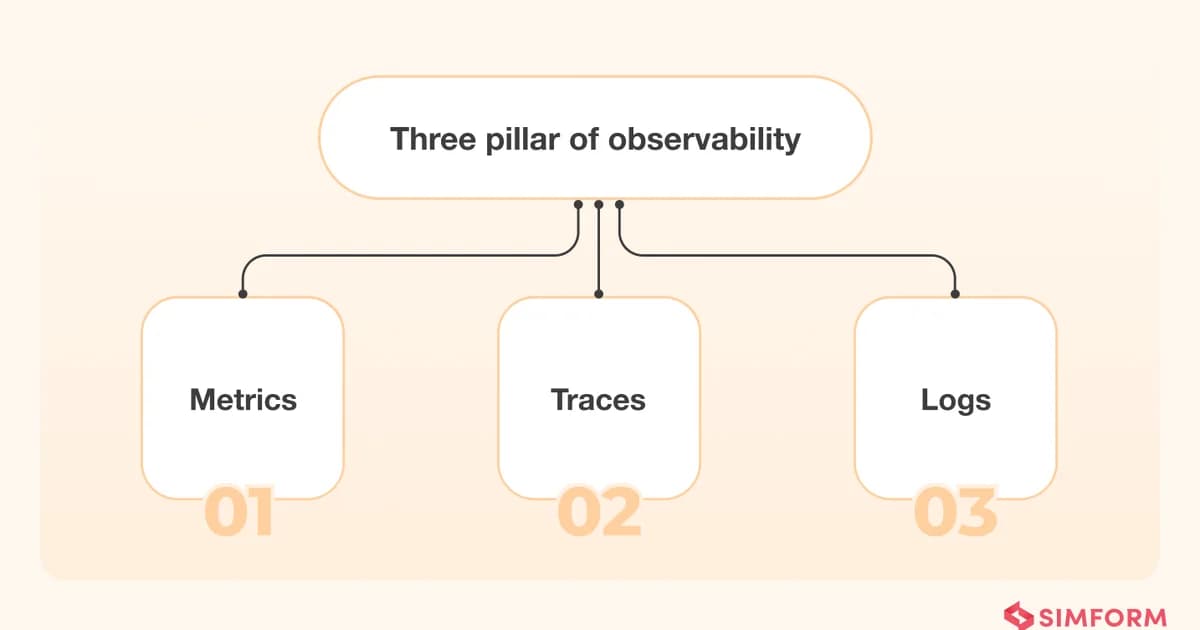
The framing I've used ever since is the three-pillar model: logs tell you what happened, metrics tell you the current state, traces tell you why a specific request behaved the way it did. Each answers a fundamentally different question, and none of them alone is sufficient. What finally made our checkout debuggable was adding a trace ID field to every structured log, running an OpenTelemetry collector that produced a distributed trace per request, and feeding both into a single UI. The same outage today would take fifteen minutes to diagnose instead of six hours. The rest of this guide is the instrumentation patterns that produced that delta -- structured logging, Prometheus metrics, OpenTelemetry traces -- plus the retention and sampling decisions that keep your observability bill from eclipsing your compute bill.
Pillar 1: Logs — What Happened
Logs are timestamped records of discrete events. Every application produces them, and they're the first tool most developers reach for when something goes wrong. A log line tells you that something happened at a specific moment in time — a request arrived, an error was thrown, a database query completed.
Structured vs. Unstructured Logging
If your logs look like this, you're making life harder than it needs to be:
2024-03-15 14:22:01 ERROR Failed to process order 12345 for user abc - timeout after 30sThat's an unstructured log. Parsing it requires regex, and every developer formats their error messages differently. Structured logging solves this by emitting machine-parseable key-value pairs:
{
  "timestamp": "2024-03-15T14:22:01.234Z",
  "level": "error",
  "message": "Failed to process order",
  "orderId": "12345",
  "userId": "abc",
  "error": "timeout",
  "duration_ms": 30000,
  "service": "order-processor",
  "traceId": "a1b2c3d4e5f6"
}
Pro tip: Always include a traceId in your structured logs. This single field bridges the gap between logs and traces, letting you jump from a log entry directly to the full distributed trace for that request.
Structured logging isn't just about readability — it enables aggregation. You can query "show me all errors from the order-processor service where duration_ms > 5000" without writing fragile regex patterns.
Logging Best Practices
After years of debugging production systems, here's what I've settled on:
- Use structured JSON logging everywhere. No exceptions. The minor overhead is negligible compared to the debugging time you save.
- Log at the right level. DEBUG for development, INFO for normal operations, WARN for recoverable issues, ERROR for things that need attention.
- Include context, not just the event. A log line that says "request failed" is useless. Include the request ID, user ID, endpoint, and relevant parameters.
- Don't log sensitive data. PII, passwords, tokens — redact them before they hit your log pipeline. It's much harder to purge data from log storage after the fact.
- Set retention policies early. Logs are the most expensive pillar at scale. Decide how long you need DEBUG vs. ERROR logs and tier your storage accordingly.
Pillar 2: Metrics — The Current State
Metrics are numeric measurements collected at regular intervals. Unlike logs, which record individual events, metrics aggregate behavior over time. They answer questions like: How many requests per second is this service handling? What's the 99th percentile latency? How much memory is the pod using?
Definition: Metrics are time-series data consisting of a metric name, a numeric value, a timestamp, and optional key-value labels (dimensions). They are collected at fixed intervals and are designed for aggregation, alerting, and trend analysis across systems.
The Four Metric Types
Prometheus, the de facto standard for metrics, defines four metric types:
| Type | What It Measures | Example |
|---|---|---|
| Counter | Monotonically increasing total | Total HTTP requests served |
| Gauge | Value that goes up and down | Current memory usage, active connections |
| Histogram | Distribution of values in buckets | Request latency distribution |
| Summary | Pre-calculated quantiles | 95th/99th percentile response times |
Instrumenting with Prometheus
Here's a practical example of instrumenting an HTTP handler in Go with Prometheus:
import (
    "github.com/prometheus/client_golang/prometheus"
    "github.com/prometheus/client_golang/prometheus/promauto"
)

var (
    httpRequestsTotal = promauto.NewCounterVec(
        prometheus.CounterOpts{
            Name: "http_requests_total",
            Help: "Total number of HTTP requests",
        },
        []string{"method", "endpoint", "status"},
    )

    httpRequestDuration = promauto.NewHistogramVec(
        prometheus.HistogramOpts{
            Name:    "http_request_duration_seconds",
            Help:    "HTTP request latency in seconds",
            Buckets: []float64{0.01, 0.05, 0.1, 0.25, 0.5, 1, 2.5, 5, 10},
        },
        []string{"method", "endpoint"},
    )
)

func handleRequest(w http.ResponseWriter, r *http.Request) {
    start := time.Now()
    // ... handle request ...
    duration := time.Since(start).Seconds()

    httpRequestsTotal.WithLabelValues(r.Method, r.URL.Path, "200").Inc()
    httpRequestDuration.WithLabelValues(r.Method, r.URL.Path).Observe(duration)
}
RED vs. USE: Two Metrics Frameworks
Don't instrument randomly. Use a framework to ensure you're covering the right signals. The two most widely adopted frameworks are RED and USE:
| Framework | Best For | Metrics | Key Question |
|---|---|---|---|
| RED | Request-driven services (APIs, web apps) | Rate, Errors, Duration | How are my users experiencing the service? |
| USE | Infrastructure/resources (CPU, disk, network) | Utilization, Saturation, Errors | Is this resource the bottleneck? |
RED was proposed by Tom Wilkie and focuses on what your users care about. For every service, instrument these three: request rate (throughput), error rate (reliability), and duration (latency). If these three are healthy, your users are probably happy.
USE was created by Brendan Gregg and focuses on resource health. For every resource (CPU, memory, disk, network), measure utilization (how busy is it), saturation (how much queued work), and errors (hardware/driver errors). USE is what you reach for when RED tells you something is slow but you don't know why.
Pro tip: Use RED for your services, USE for your infrastructure. When an alert fires on a RED metric (high latency), pivot to USE metrics on the underlying hosts to find the bottleneck. This combination covers 90% of production issues.
Pillar 3: Traces — Why It Took So Long
Distributed tracing follows a single request as it crosses service boundaries. In a microservices architecture, one user-facing request might touch 10-20 services. When that request is slow, logs tell you each service's view in isolation, and metrics tell you aggregate latency — but neither tells you which specific hop in the chain caused the delay. That's what traces do.
How Distributed Tracing Works
A trace consists of spans. Each span represents a unit of work — an HTTP call, a database query, a message publish. Spans are linked by a shared trace ID and parent-child relationships, forming a tree (or DAG) that represents the full call graph.
- Trace ID creation. The entry-point service generates a unique trace ID and attaches it to the request context.
- Context propagation. As the request moves to downstream services, the trace ID and parent span ID are propagated via HTTP headers (typically
traceparentin the W3C Trace Context standard). - Span creation. Each service creates a span recording its start time, end time, operation name, and any attributes (status codes, error messages, DB queries).
- Span export. Completed spans are sent to a tracing backend (Jaeger, Zipkin, Tempo) for storage and visualization.
- Trace assembly. The backend assembles spans into a complete trace, allowing you to see the full waterfall of a request and identify the slow hop.
Instrumenting with OpenTelemetry
OpenTelemetry (OTel) has become the industry standard for instrumentation. Here's a Node.js example:
import { trace, SpanStatusCode } from '@opentelemetry/api';

const tracer = trace.getTracer('order-service');

async function processOrder(orderId: string) {
  return tracer.startActiveSpan('processOrder', async (span) => {
    try {
      span.setAttribute('order.id', orderId);

      // This creates a child span automatically
      const inventory = await checkInventory(orderId);
      span.setAttribute('inventory.available', inventory.available);

      const payment = await chargePayment(orderId);
      span.setAttribute('payment.status', payment.status);

      span.setStatus({ code: SpanStatusCode.OK });
      return { success: true };
    } catch (error) {
      span.setStatus({
        code: SpanStatusCode.ERROR,
        message: error.message,
      });
      span.recordException(error);
      throw error;
    } finally {
      span.end();
    }
  });
}Warning: Tracing every single request in a high-throughput system will destroy your storage budget and overwhelm your tracing backend. Use sampling. Head-based sampling (decide at the entry point) is simple but misses interesting traces. Tail-based sampling (decide after the trace completes) catches errors and slow requests but requires a collector to buffer spans.
Logs vs. Metrics vs. Traces: Side-by-Side Comparison
| Characteristic | Logs | Metrics | Traces |
|---|---|---|---|
| Data type | Discrete events (text/JSON) | Numeric time-series | Spans linked by trace ID |
| Question answered | What happened? | How is the system performing? | Why was this request slow/failed? |
| Cardinality | High (unique per event) | Low-medium (aggregated) | High (per-request) |
| Cost at scale | Highest (volume-driven) | Lowest (fixed dimensions) | Medium (sampling helps) |
| Best for | Debugging, audit trails | Alerting, dashboards, trends | Request flow analysis, latency breakdown |
| Retention | Days to weeks (expensive) | Months to years (cheap) | Days to weeks (medium) |
| Correlation | Via trace ID or request ID | Via labels/dimensions | Native (trace ID links all spans) |
Observability Platform Pricing Comparison
Observability tooling can become your second-largest cloud expense if you're not careful. Here's how the major platforms compare as of 2024:
| Platform | Logs Pricing | Metrics Pricing | Traces Pricing | Free Tier |
|---|---|---|---|---|
| Datadog | $0.10/GB ingested | $0.05/custom metric/mo | $0.20/GB spans ingested | Limited (5 hosts) |
| New Relic | $0.30/GB ingested | Included (up to limits) | Included (up to limits) | 100 GB/mo free ingest |
| Grafana Cloud | $0.50/GB (Loki) | $8/1k active series (Mimir) | $0.50/GB (Tempo) | Generous free tier |
| Elastic Cloud | Based on storage | Based on storage | Based on storage | 14-day trial |
| Self-hosted (Grafana Stack) | Infrastructure cost only | Infrastructure cost only | Infrastructure cost only | Free (open source) |
Warning: Datadog's pricing looks cheap per unit, but high-cardinality custom metrics and log ingestion at scale routinely produce bills that shock teams. Model your expected volume before committing. Many organizations have saved 50-70% by migrating to the self-hosted Grafana stack (Loki + Mimir + Tempo) at the cost of operational complexity.
Building an Observability Stack: A Practical Approach
The Open-Source Stack (Grafana Ecosystem)
For teams that want full control and cost predictability, the Grafana ecosystem has become the go-to choice:
# docker-compose.yml - Minimal observability stack
services:
  prometheus:
    image: prom/prometheus:latest
    volumes:
      - ./prometheus.yml:/etc/prometheus/prometheus.yml
    ports:
      - "9090:9090"

  loki:
    image: grafana/loki:latest
    ports:
      - "3100:3100"

  tempo:
    image: grafana/tempo:latest
    ports:
      - "4317:4317"   # OTLP gRPC
      - "4318:4318"   # OTLP HTTP

  grafana:
    image: grafana/grafana:latest
    ports:
      - "3000:3000"
    environment:
      - GF_AUTH_ANONYMOUS_ENABLED=true
Prometheus handles metrics, Loki handles logs, Tempo handles traces, and Grafana provides a unified query and visualization layer. This is the same stack that Grafana Cloud runs, just self-managed.
Connecting the Three Pillars
The real power of observability comes from correlation — jumping between pillars for the same request or time window. Here's how to wire it up:
- Embed trace IDs in logs. Every log line should include the trace ID so you can pivot from a log entry to the full trace.
- Add exemplars to metrics. Prometheus exemplars attach a trace ID to a specific metric sample, so when you see a latency spike on a graph, you can click through to the exact trace that caused it.
- Use consistent labels. Service name, environment, and version should be the same across all three pillars. This sounds obvious, but inconsistent naming is one of the most common observability failures.
Frequently Asked Questions
What is the difference between observability and monitoring?
Monitoring checks for known failure modes using predefined thresholds and alerts. Observability is a broader capability that lets you investigate unknown failure modes by querying raw telemetry data. You can have monitoring without observability, but effective observability always includes monitoring as a subset. Think of monitoring as "did this specific thing break?" and observability as "why is the system behaving unexpectedly?"
Do I need all three pillars or can I start with one?
Start with metrics and structured logging. Metrics give you dashboards and alerts — you'll know when something is wrong. Structured logs let you investigate what went wrong. Add distributed tracing when you move to microservices or when request flow across services becomes a debugging bottleneck. Most monoliths can get by with just metrics and logs for a long time.
What is OpenTelemetry and why should I use it?
OpenTelemetry (OTel) is a vendor-neutral, open-source framework for generating, collecting, and exporting telemetry data (logs, metrics, traces). It's backed by the CNCF and supported by every major observability vendor. Using OTel means you're not locked into a specific backend — you can switch from Jaeger to Datadog to Grafana Tempo without re-instrumenting your code.
How do I reduce observability costs at scale?
Three strategies have the biggest impact. First, sample your traces — you don't need 100% of traffic, just enough to catch anomalies. Second, tier your log storage by severity: keep ERROR logs for 90 days, DEBUG logs for 7 days. Third, watch your metric cardinality — a single high-cardinality label (like user ID) on a metric can multiply your time-series count by millions and explode your storage costs.
What is the difference between RED and USE metrics?
RED (Rate, Errors, Duration) measures the experience of requests flowing through your services — it's user-facing. USE (Utilization, Saturation, Errors) measures the health of resources your services depend on — it's infrastructure-facing. Use RED for your APIs and services, USE for your hosts, containers, and databases. When a RED metric degrades, USE metrics help you find the underlying resource bottleneck.
How does sampling work in distributed tracing?
Sampling reduces the volume of trace data you collect and store. Head-based sampling decides at the start of a trace whether to record it, using a probability (e.g., 10% of requests). Tail-based sampling buffers all spans temporarily and decides after the trace completes, letting you keep 100% of error traces and slow traces while dropping routine ones. Tail-based is more useful but requires more infrastructure.
Can I use Grafana with Datadog or New Relic?
Grafana can query some external data sources, but Datadog and New Relic are primarily designed as all-in-one platforms with their own query and visualization layers. In practice, teams either go all-in on a vendor platform or build on the open-source Grafana stack. Mixing tends to create confusion about which dashboard is the source of truth. Pick one approach and standardize on it.
Conclusion
The three pillars of observability are not interchangeable — each serves a distinct purpose, and skipping one leaves a gap in your ability to diagnose production issues. Logs give you the event-level detail for debugging. Metrics give you the aggregated view for alerting and trending. Traces give you the request-level flow for understanding latency and dependencies.
Start with structured logging and Prometheus metrics. Add OpenTelemetry tracing when your architecture demands it. Connect all three with trace IDs and consistent labels so you can pivot between pillars effortlessly. And keep a close eye on your costs — observability tooling at scale can rival your compute spend if you're not deliberate about sampling, retention, and cardinality.
Written by
Abhishek Patel
Infrastructure engineer with 10+ years building production systems on AWS, GCP, and bare metal. Writes practical guides on cloud architecture, containers, networking, and Linux for developers who want to understand how things actually work under the hood.
Related Articles
AIOps in 2026: AI-Driven Monitoring & Incident Response
AIOps in 2026 cuts alert noise 70-95% and Sev-2 MTTR 20-40% when layered on disciplined alerting. Landscape review of Dynatrace Davis, Datadog Watchdog, PagerDuty AIOps, BigPanda, and 6 more — with honest failure modes.
16 min read
ObservabilityBest Log Management Tools (2026): Splunk vs Datadog Logs vs Loki vs SigNoz
Benchmarked comparison of Splunk, Datadog Logs, Grafana Loki, and SigNoz on a 1.2 TB/day pipeline. Real 2026 pricing, query performance, and a cost-per-GB decision matrix.
15 min read
ObservabilityOpenTelemetry vs Datadog: Open Standard or Managed Platform?
Compare OpenTelemetry and Datadog across total cost of ownership, instrumentation, vendor lock-in, and architecture. TCO at 10, 50, and 200 services, OTel Collector pipeline config, hybrid approach, and a phased migration guide.
13 min read
Enjoyed this article?
Get more like this in your inbox. No spam, unsubscribe anytime.